
Cold rooms, lab refrigerators and pharmacy stores need constant watching. A small rise in temperature can damage vaccines, medicines and reagents. Most of the time, no one notices until it is too late. Manual checks twice a day cannot catch a breach that happens at night.
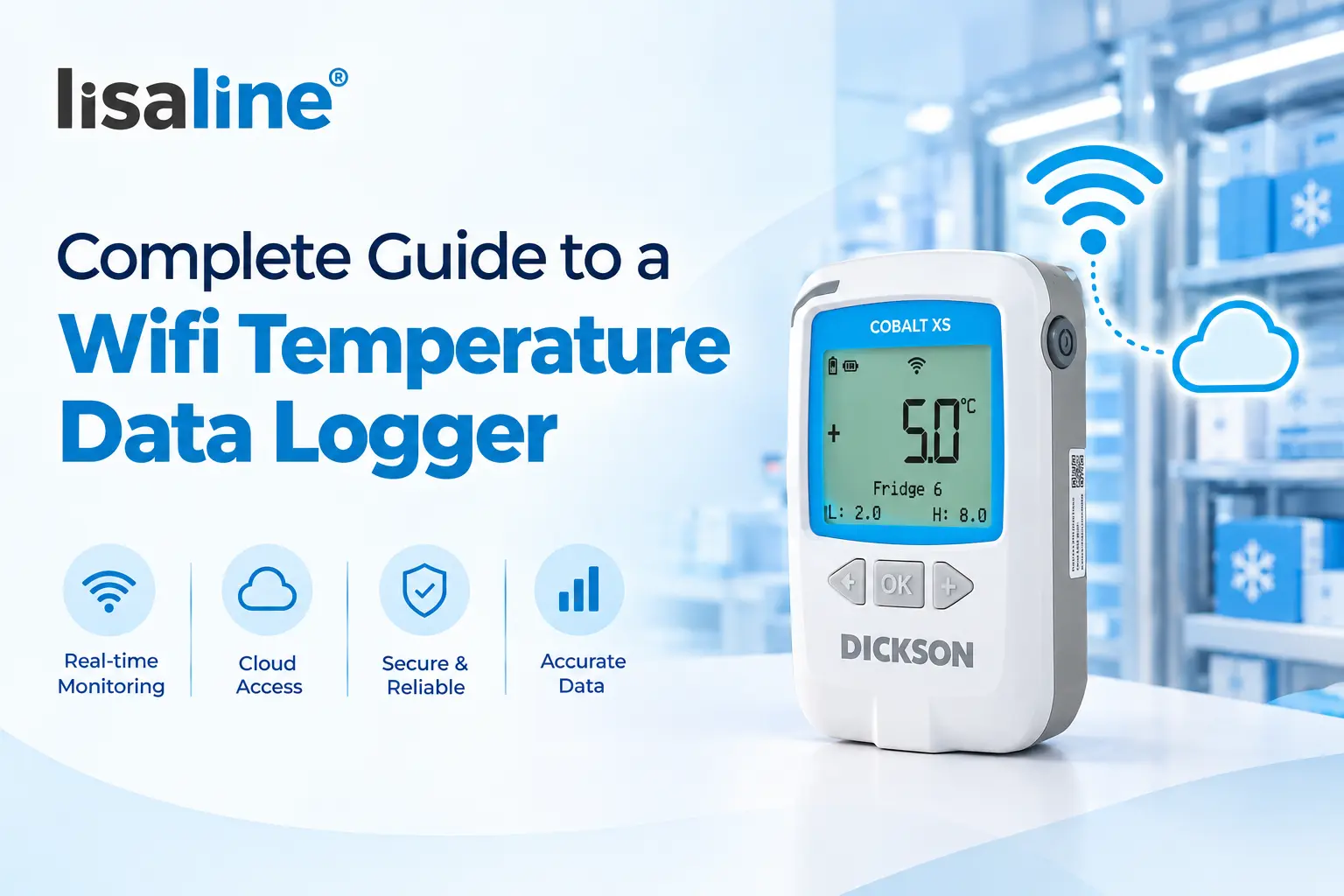
This is where a WiFi temperature data logger helps. It records the temperature on its own and sends every reading to the cloud over the WiFi network you already have. It has become a simple and cost effective part of temperature monitoring for pharma stores, hospitals and labs.
In this blog, we explain what a WiFi temperature data logger is, how it works, its features and where it fits best.
What is a WiFi Temperature Data Logger?
A WiFi temperature data logger is a monitoring device that records temperature at set intervals and sends the readings to a cloud platform through a WiFi network. Like any temperature data logger, it has three main parts. A sensor measures the temperature. A clock notes the date and time of each reading. A memory chip stores every reading safely.
The difference is how the data leaves the device. A USB logger keeps its data until someone plugs it into a computer. A wifi temperature data logger does not wait. It uses your site wifi to send readings to the cloud. Your team can see live data and receive alerts from anywhere.
It is a fixed storage monitoring device. It is mounted at one place, like a cold room, a refrigerator or a storage area. It works best in smaller storage facilities where the WiFi signal is strong and the data only needs to travel a short distance to reach the network.
Cobalt XS WiFi Data Logger by Dickson
Lisaline Asia is the official supplier of the Cobalt XS WiFi data logger by Dickson in India.
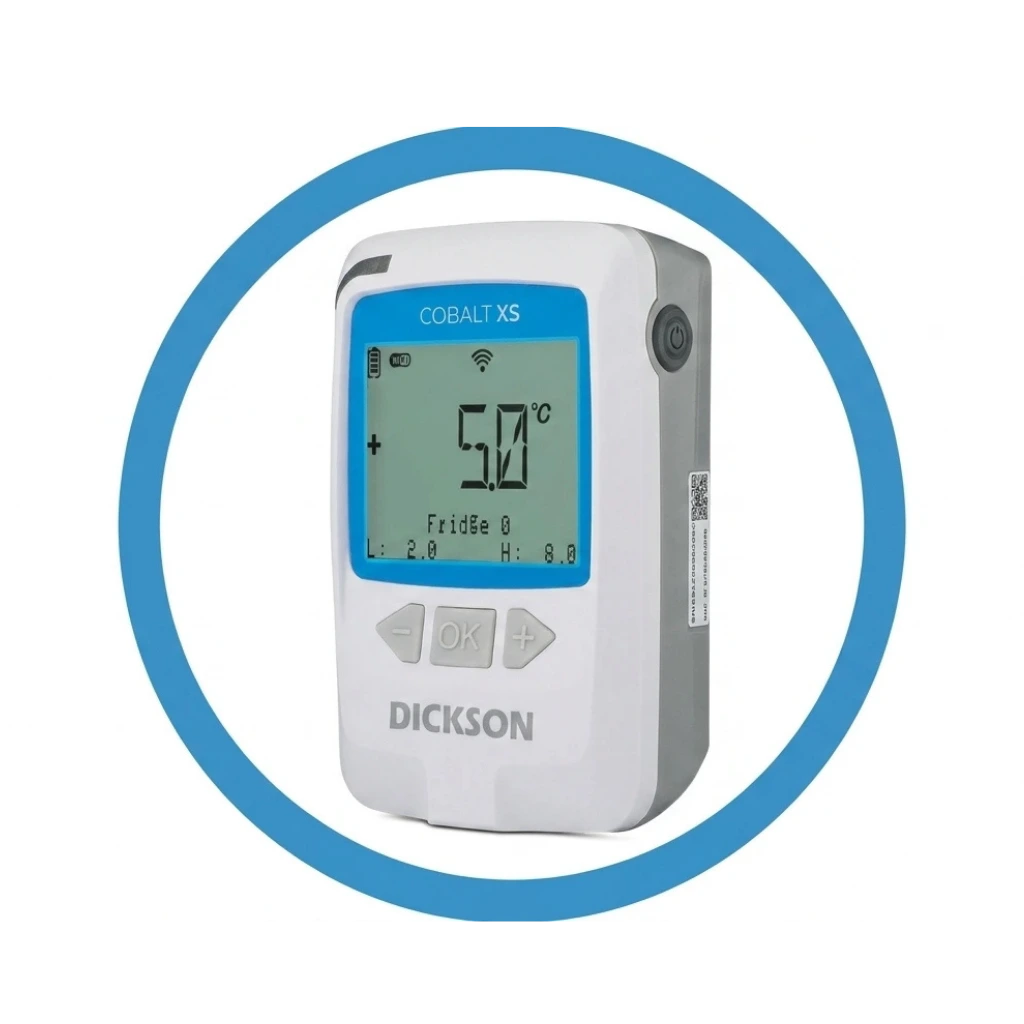
Cobalt XS WiFi is a compact and easy to use WiFi temperature data logger. It monitors the temperature and humidity of sensitive products like pharmaceuticals, biologics and vaccines. It connects directly to your site WiFi network or hotspot. No separate gateway is needed. This keeps the setup simple and reduces the cost of extra IT infrastructure.
The logger sends its readings to OCEAView Cloud, OCEAView On premises or DicksonOne Cloud. You can choose the platform that fits your infrastructure and compliance needs. A high contrast LCD screen on the device shows the current status at a glance. Anyone on site can check it in seconds without an app or login.
Lisaline Asia does more than supply the device. Our team handles installation, commissioning, setup and configuration. We also integrate the logger with the OCEAView platform, so you can start monitoring without any hassle.
How Does a WiFi Temperature Data Logger Work?
A WiFi temperature data logger works in a few simple steps.
1. Mounting and Connecting
The logger is mounted on a wall or next to the storage unit. It connects to your facility WiFi through its on device menu. You select the network and enter the credentials. Cobalt XS WiFi supports WPA security and proxy settings, so it fits into most corporate networks without special IT setup.
2. Measuring the Temperature
The probe connected to the logger measures the temperature at the interval you set. With a dual sensor probe, it measures humidity as well.
3. Recording with Date and Time
Every reading is saved in the internal memory with the exact date and time. This builds a complete temperature history of your storage area.
4. Sending the Data to the Cloud
The logger sends the stored readings to the cloud platform over WiFi at regular intervals. Your team can view live data on a browser or on the OCEAView mobile app.
5. Checking Limits and Raising Alerts
Every reading is checked against the high and low limits you set. If a reading crosses a limit, a flashing light on the logger signals the alarm on site. The platform then sends alerts to your team through SMS, email, phone call and app notifications.
6. Downloading Reports
You can download time stamped PDF and CSV reports from the dashboard at any time. These reports are ready for audits and inspections.
What Happens if the WiFi Connection Drops?
Your data stays safe. The wifi temperature data logger keeps recording and stores every reading in its internal memory. Once the connection returns, the readings are uploaded to the cloud. Cobalt XS WiFi stores up to 32,000 readings per sensor. That is about 32 weeks of data at a 10 minute reading interval. So your record stays complete even during a network outage.
This is what makes temperature monitoring with a WiFi logger hands free. No one needs to walk up to the fridge with a notebook.
What are the Features of a WiFi Temperature Data Logger?
Here are the main features of a WiFi temperature data logger, using the Cobalt XS WiFi as an example.
Direct WiFi Connection
The logger connects to any WiFi network or hotspot on site. It works on the 2.4 GHz band and supports WiFi 4 and WiFi 6 standards. No gateway is required.
Up to Two Measurement Points
It has one connector that takes single, dual or triple sensor probes. Up to two measurement points can be used at the same time.
Smart Sensor Technology
It works with Dickson Smart Sensors. Each sensor stores its own calibration data. When recalibration is due, you simply swap the sensor. The logger stays in place and your record continues without a break.
Large Internal Memory
It stores up to 32,000 readings per sensor on the device. The web platform stores all uploaded data with no limit.
LCD Display
A button controlled, high contrast LCD shows the product status on the spot.
Programmable Alarm Limits
You can set 3 high and 3 low limits. Each limit has its own programmable delay. This helps avoid false alarms when a door is opened for a few seconds.
Real Time Alerts
Alerts reach your team through SMS, email, phone call and app notifications as soon as a limit is crossed.
Long Battery Life
It runs on two 3.6V user replaceable lithium batteries. Battery life is about one year under normal conditions, with the screen and WiFi power saving turned on.
Compact Design and Easy Mounting
It measures 69 x 107 x 31 mm and weighs 130 g with the battery. It comes with a wall mount cradle that has magnets and an anti slip rubber pad. You can also fix it with screws or Velcro.
What are the Advantages of a WiFi Temperature Data Logger?
Lower Setup Cost
A WiFi temperature data logger uses the network you already have. You do not need to buy or install a gateway. This keeps the cost of the monitoring system low for smaller facilities.
Quick Installation
Mount the logger, connect it to WiFi and pair it with the platform. The system is ready to monitor in a short time.
Live Data from Anywhere
Your team can check live readings on a phone or computer. There is no need to be present at the storage area.
Faster Action on Excursions
Instant alerts tell your team the moment the temperature moves out of range. They can move the stock or fix the cooling before the product is lost.
No Manual Logging Errors
Readings are recorded automatically. Missed entries, wrong readings and skipped checks are no longer a problem.
Audit Ready Records
The OCEAView platform is FDA 21 CFR Part 11 compliant. It keeps a tamper proof audit trail with time stamped readings. This supports GxP, GMP and GDP requirements.
One Dashboard for Many Loggers
All Cobalt XS WiFi units feed into a single OCEAView or DicksonOne dashboard. You can track every logger across different rooms and locations from one screen.
Where is a WiFi Temperature Data Logger Suitable for Use?
A WiFi temperature data logger is best for indoor storage areas with a strong and stable WiFi signal. It suits smaller facilities where the logger sits close to the network. Common uses include:
- Refrigerators and freezers used for vaccines, reagents and biological samples
- ULT freezers, with the probe placed inside and the logger mounted outside
- Small cold rooms for pharmaceuticals and biologics
- Hospital pharmacies and medical stores
- Laboratories and research facilities
- Cleanrooms in pharma manufacturing and packaging
- Water baths, ovens, autoclaves and sterilisation equipment
- Small warehouses that handle temperature sensitive products
When Should You Choose a Different Logger?
A WiFi logger is not the right fit everywhere. The logger itself is made for indoor use in non harsh environments. If your site is spread across a large campus, or WiFi is weak in some areas, a LoRaWAN logger like the Cobalt XS works better. It can send data up to 15 km in open line of sight. For products in transit, a GSM data logger is the better choice, because WiFi is not available on the road.
Can a WiFi Temperature Data Logger Monitor Other Environmental Parameters?
Yes. Many wifi temperature data logger models also monitor humidity. The Cobalt XS WiFi works with Dickson temperature sensors, temperature and relative humidity sensors, and universal sensors. With a dual sensor probe, it records both temperature and humidity at the same time.
Humidity matters for many products. Tablets, capsules and powders can absorb moisture. Some reagents and packaging materials also lose quality in damp conditions. Monitoring both parameters gives you a complete picture of your storage conditions.
If your facility also needs CO2 or differential pressure monitoring, the Cobalt X is a better option. It supports up to 4 sensors, including CO2 and differential pressure.
Things to Check Before Installing a WiFi Temperature Data Logger
A little planning makes the setup of a wifi temperature data logger smooth. Check these points before installing a temperature data logger with wifi.
- WiFi signal at the mounting point. Test the signal strength at the exact spot where the logger will be mounted.
- 2.4 GHz network. Make sure a 2.4 GHz network is available, since the logger works on this band.
- Network details from IT. Keep the network name, password and any proxy settings ready.
- Right mounting position. Every cold room has warm and cold spots. A temperature mapping study shows where the probe should go.
- Alarm limits and interval. Set the limits based on the safe range of your products.
- Calibration certificate. Keep the calibration certificate on file for audits.
Why Should You Choose a WiFi Temperature Data Logger from Lisaline Asia?
Official Supplier of Dickson
Lisaline Asia is the official supplier of the Cobalt XS wifi temperature data logger by Dickson. You get a genuine device with manufacturer warranty and official documentation.
Complete Setup Support
We handle installation, commissioning, configuration and OCEAView integration. Your WiFi temperature data logger is ready to monitor from day one.
Calibration You Can Rely On
Every Cobalt XS WiFi ships with a traceable calibration certificate from an ISO 17025 accredited lab. When recalibration is due, we handle it through our own NABL accredited, ISO/IEC 17025 certified lab in India. We offer both in lab and on site calibration.
The Right Logger for Your Need
We supply USB, WiFi, LoRaWAN, Bluetooth and 4G loggers. So we recommend the device your facility actually needs. If a WiFi logger is not the right fit, we will tell you and suggest a better option for your temperature monitoring setup.
Cold Chain Experience Since 1998
Cold chain monitoring has been our only business since 1998. We introduced the world’s first miniaturised temperature exposure technology for vials in India’s polio eradication programme.
Support After Delivery
We offer thermal mapping, IQ and OQ validation, preventive maintenance and 24×7 online support for real time datalogging systems.
Bottom Line
A Wifi temperature data logger is a simple way to monitor storage areas that already have a good WiFi network. It records every reading, sends it to the cloud and alerts your team the moment something goes wrong. There is no gateway to buy and no manual logging to manage. For smaller cold rooms, lab refrigerators and pharmacy stores, it brings reliable temperature monitoring at a lower setup cost.
Want to know if the Cobalt XS WiFi is right for your facility? Contact our team and we will help you choose.