
Manual temperature checks have one persistent flaw. They only capture the moment someone bothers to check. A cold room that drifted out of range at midnight, a shipment that warmed up during a layover, a lab freezer that failed over a long weekend — none of these show up in a clipboard log until it’s already too late.
Wireless data loggers are the direct solution to that problem. This guide covers how they work, what to look for, and where they’re actually being used — without the marketing fluff.
What a Wireless Data Logger Is
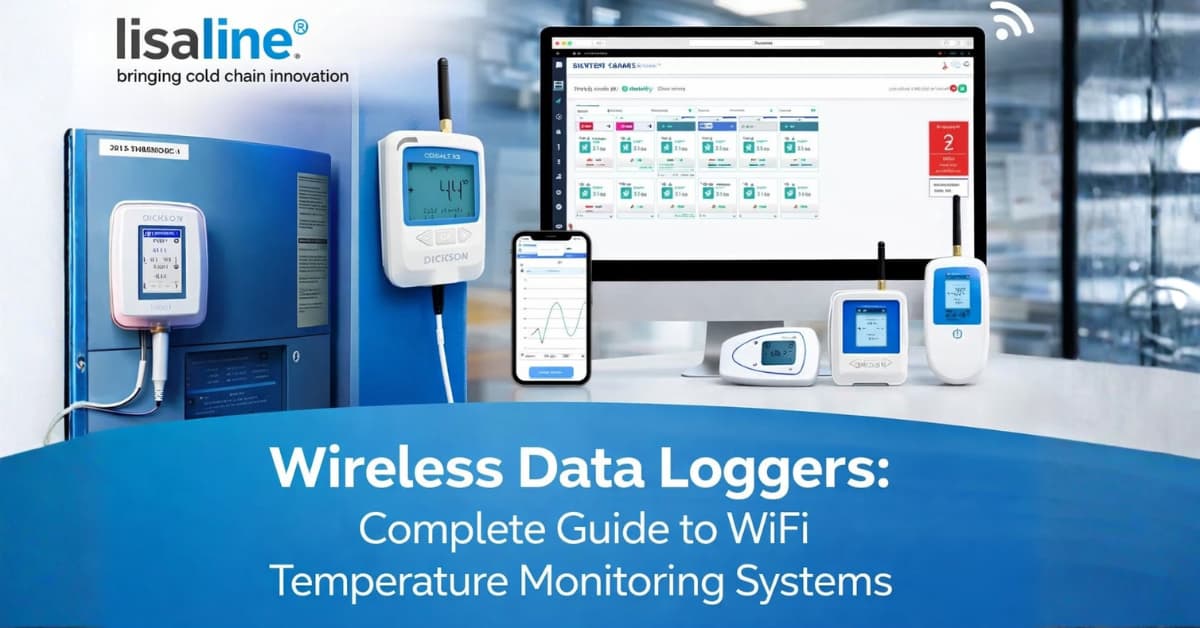
A wireless data logger is a small sensor that records temperature and humidity on its own, continuously, and sends that data somewhere you can actually see it — a phone, a browser, a dashboard — without anyone going to physically collect the device.
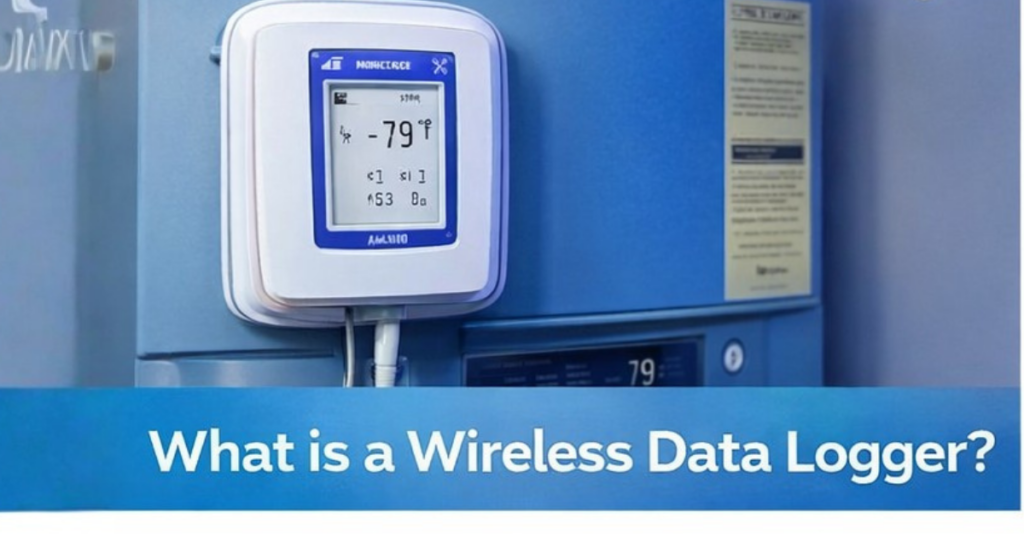
Older loggers stored readings locally. You’d walk over, plug the device into a laptop, download a CSV, and find out what happened two days ago. Useful for some things. Completely useless when what you need is to know that your cold room is failing right now, not tomorrow morning.
WiFi loggers close that gap. The data travels to you.
How It Works
The sensor reads conditions at whatever interval you configure. A pharmaceutical cold room where temperature can shift dangerously within minutes needs readings every 60 seconds. A greenhouse probably doesn’t. Set it based on what your environment actually does, not what seems thorough.
Something vendors don’t shout about: before the device sends anything, it saves locally. That matters because WiFi goes down. Routers reboot. Power blips happen. If there’s no local storage, those readings are just gone — and in audited environments, a gap in the record needs explaining.
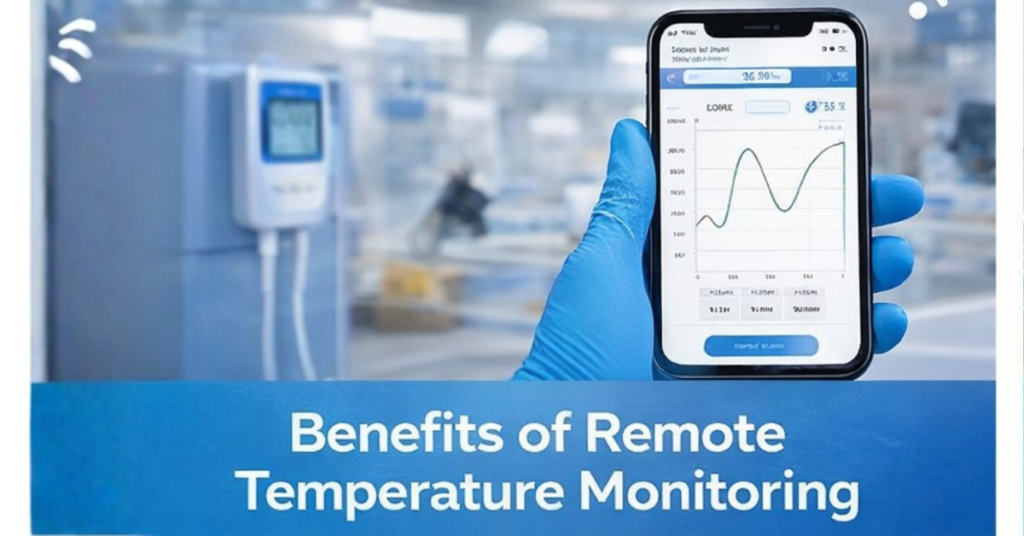
When data hits the cloud, you can see it through a browser or app, usually updated continuously. And when something goes out of range, you get notified. The part worth pinning down with any vendor is how long that actually takes. Not “near real-time” — an actual number. Minutes matter in a cold room failure, and some platforms are genuinely slow about it.
Some systems send updates in batches every 20 or 30 minutes. They still describe this as real-time monitoring on their website, which is a stretch at best. Worth reading the small print before assuming the alert speed matches what the marketing says.
Choosing Between WiFi, Bluetooth, and GSM — What Actually Makes Sense
For most buildings — warehouses, labs, cold rooms, server rooms — WiFi is the straightforward choice. It’s already installed, it covers the space, and you’re not adding any ongoing costs. There’s no real reason to look elsewhere unless coverage is patchy or the location is genuinely remote.
Bluetooth is worth mentioning, but it needs to be honest about its limits. Thirty metres on a good day, and it needs a phone or gateway physically nearby to push data anywhere useful. It works in small, contained environments where someone is regularly present. Anywhere unmanned or spread across a building, it falls short.
GSM fills the gap where no network exists. Trucks in transit, farm sites, and temporary setups in locations where running WiFi isn’t practical. It costs more to run month-to-month and eats through the battery faster, but for those situations, it’s genuinely the only workable option.
Most people buying for a fixed indoor location end up on WiFi, not because they carefully evaluated all three, but because it’s already there and it does the job fine.
What to Actually Look At When Comparing Systems
Sensor accuracy is the starting point. ±0.3°C for temperature is the standard for serious applications. Below that threshold, you’re guessing. Calibration documentation is worth requesting upfront. If the device comes with a certificate traceable to ISO 17025 or a recognised national standard, that’s what you want. Budget hardware often skips this, which isn’t always a dealbreaker — unless you’re in a regulated industry and an inspector asks for it.
Alert latency is underrated and rarely advertised clearly. Push for an actual number in minutes. Anything over five minutes is worth questioning for critical environments. Don’t accept vague language about responsiveness — the number is what matters.
Onboard memory — some devices hold 10,000 readings locally, some hold 500,000. That sounds like a technical footnote until your internet goes down for three days and you’re trying to explain to an auditor why there’s a gap in the record. Worth checking before you buy.
Audit-ready logs matter most in regulated industries. You need records that are timestamped and exportable in a format that works for inspectors — PDF or CSV, not some proprietary format that requires their software to open. If exporting clean records takes more than a few clicks, that’s going to become a problem during an audit.
Pricing at scale is where people get caught out. A system that seems affordable for five sensors can become expensive fast if the vendor charges per-sensor licensing fees. Understand the pricing model before you’ve committed two years of data to the platform.
Where These Systems Are Actually Used
Pharmaceuticals and healthcare — Vaccine storage, reagent fridges, and stability chambers all have regulatory requirements for continuous validated records under GDP, GMP, and WHO cold chain guidelines. A missed log entry isn’t a minor inconvenience. It’s a deviation event that requires documentation and explanation.
Cold chain logistics — Having a timestamped log makes the conversation straightforward. Product arrives warm, you pull the data, and you can see exactly which leg of the journey caused it. Without records, that dispute can drag on for weeks. Temperature records during transport are increasingly a contractual requirement, not just good practice.
Food production and retail — Food businesses put sensors in freezers, blast chillers, and production floors mostly because of what happens during recalls. If a temperature issue surfaces and nobody logged it, nobody got alerted, there’s no trail to follow. That’s when it gets expensive. Documented problems are manageable. Undocumented ones aren’t.
Data centres — Hot aisle and cold aisle temperature monitoring catches cooling problems before they become hardware failures. It also finds inefficiencies. If a zone is running colder than it needs to, that’s a wasted energy cost running continuously. Monitoring finds it; instinct usually doesn’t.
Agriculture and greenhouses — Greenhouses are unforgiving. A heating system fails on a cold night, nobody notices until someone walks in at 7 AM, and what took six weeks to grow is gone. Most growers who take monitoring seriously do so because something went wrong before. The ones who haven’t had a bad experience yet tend to treat it as optional — right up until it isn’t.
Why Choose Lisalineasia for Wireless Data Loggers?
Lisalineasia builds wireless monitoring solutions for industries where accuracy and reliability aren’t optional. The focus is on systems that work consistently in the background — not products that require ongoing management to stay functional.
The range covers high-precision temperature and humidity sensors, cloud-connected dashboards with clean audit-ready export, and scalable setups that work as well across fifty sensors as they do across five. Calibration documentation is included as standard, not as an afterthought.
Support is available when it’s actually needed — not just during business hours on a weekday. For businesses operating in regulated industries or running facilities that can’t afford monitoring gaps, that availability matters.
The goal is a system your team can rely on without dedicating time to maintaining it. If something goes wrong, the alert reaches the right person quickly. If an auditor asks for records, the export is clean and complete. Everything in between should be largely invisible.
Questions Worth Asking Before You Commit
Before committing to any platform, find out how you get your data out of it. Not whether you can — most vendors say yes — but in what format, how far back it goes, and whether anything requires their software to read it. This feels irrelevant at the start. It feels very relevant two years later when you’re trying to switch and find out your records are effectively locked in.
On calibration — sensors drift over time, gradually, in ways that aren’t obvious until you compare against a reference. Recalibration is easy to lose track of, especially across multiple sensors. A few platforms build reminders into the dashboard and notify you when a device is approaching its recalibration date. Most don’t. If you’re in a regulated environment, that’s something worth confirming during the sales process rather than discovering during an inspection. Worth knowing which type you’re buying before the audit rather than during it.
Can alert thresholds be set individually per sensor, or does one setting apply to the whole account? For multi-zone monitoring, this matters practically. A freezer and a refrigerator have different acceptable ranges, and a system that can’t handle that distinction will cause problems sooner or later.
What does support actually look like when something breaks at an inconvenient time? Not what the sales page says — what’s the actual response time, and is there a phone number or just a ticketing queue with a two-day turnaround?
Before You Buy
Good monitoring systems are boring. They sit there, record what’s happening, and interrupt you when something genuinely needs attention. If a system is doing that reliably, there isn’t much else to ask of it.
The problems start when it isn’t boring — when readings go missing, alerts arrive late, or the export function breaks the week before an inspection. None of that feels dramatic until it is. Most buyers don’t find out which category their system falls into until they’re already a year into using it.
That’s the case for asking harder questions upfront rather than taking the demo at face value.
If you’re finding yourself manually chasing readings, repeatedly troubleshooting connectivity, or spending real time each week just keeping the system functional — that’s worth taking seriously. Some of it might be setup issues a vendor can fix. Some of it might mean the system isn’t a good fit for your environment. Either way, it doesn’t tend to sort itself out on its own.
Before buying, be honest about what your team can actually manage day-to-day. A system with more features than anyone will use isn’t better — it’s just more expensive and harder to maintain. The useful question isn’t which system has the longest spec sheet. It’s which one will still be running reliably six months from now without someone constantly keeping an eye on it.
Summary
Wireless data loggers solve a straightforward problem. Manual checks only tell you what was happening when someone looked. These systems tell you what’s happening continuously, and flag it immediately when something goes wrong.
The core technology isn’t complicated. A sensor reads conditions at set intervals, saves to local memory first, then pushes data to a cloud platform where you can view it from anywhere. The local memory step matters more than most vendors emphasise — it protects your records during network outages, which is critical in regulated environments where a gap in the log requires explanation.
WiFi works for most fixed indoor locations because the infrastructure is already there. Bluetooth suits small contained setups. GSM is the answer for remote sites and vehicles where no network exists — useful when necessary, but it comes with ongoing costs that WiFi doesn’t carry.
The numbers that actually matter when comparing systems are sensor accuracy, alert response time, and local storage capacity. Calibration documentation, clean export formats, and pricing at scale are the things most buyers don’t think to ask about until they become a problem.
The use cases span pharmaceuticals, cold chain logistics, food production, data centres, and agriculture. The underlying need is consistent across all of them — continuous records that prove conditions stayed within range, or identify exactly when and where they didn’t.
Before committing to any platform, run a live data export during the demo. Ask who tracks recalibration. Confirm whether thresholds can be set per sensor. Find out what support looks like outside business hours.
A system that works well is one you mostly don’t notice. The goal isn’t the most feature-rich option available — it’s the one that keeps doing its job reliably six months from now without taking up your team’s time to maintain it.