
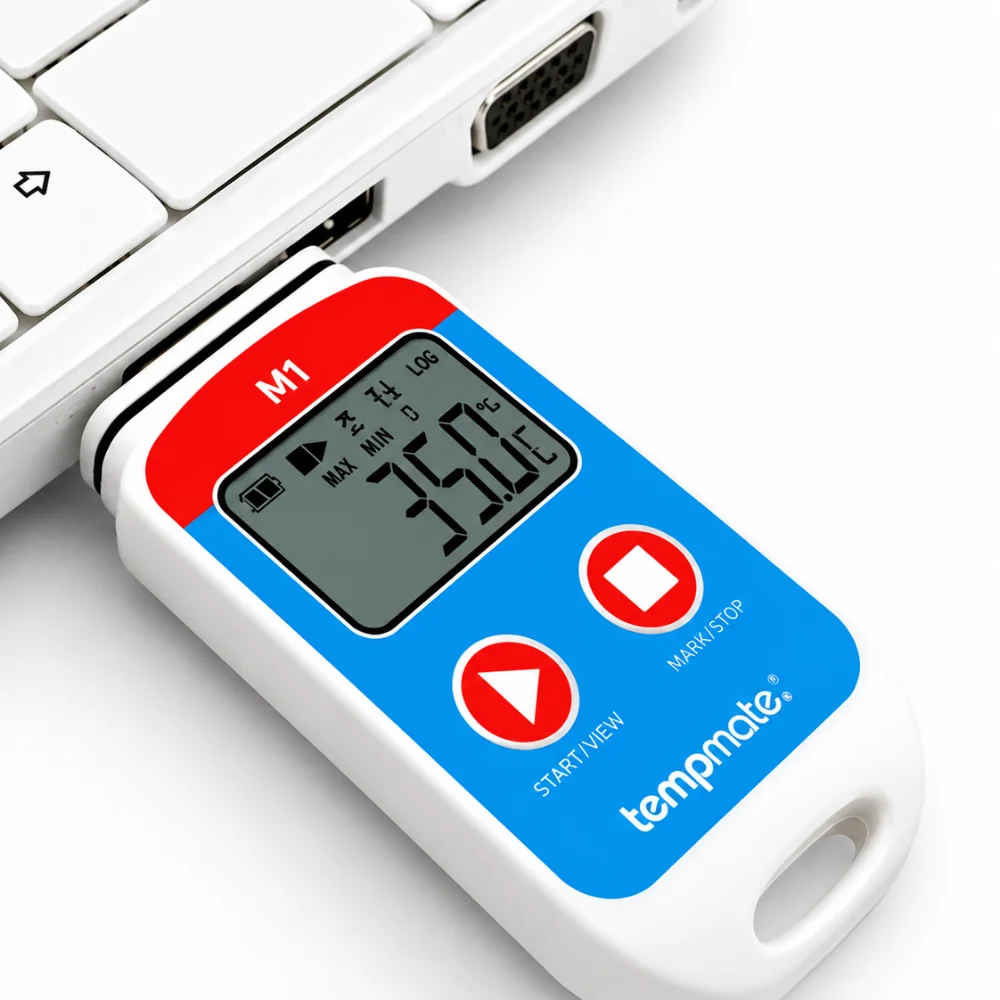
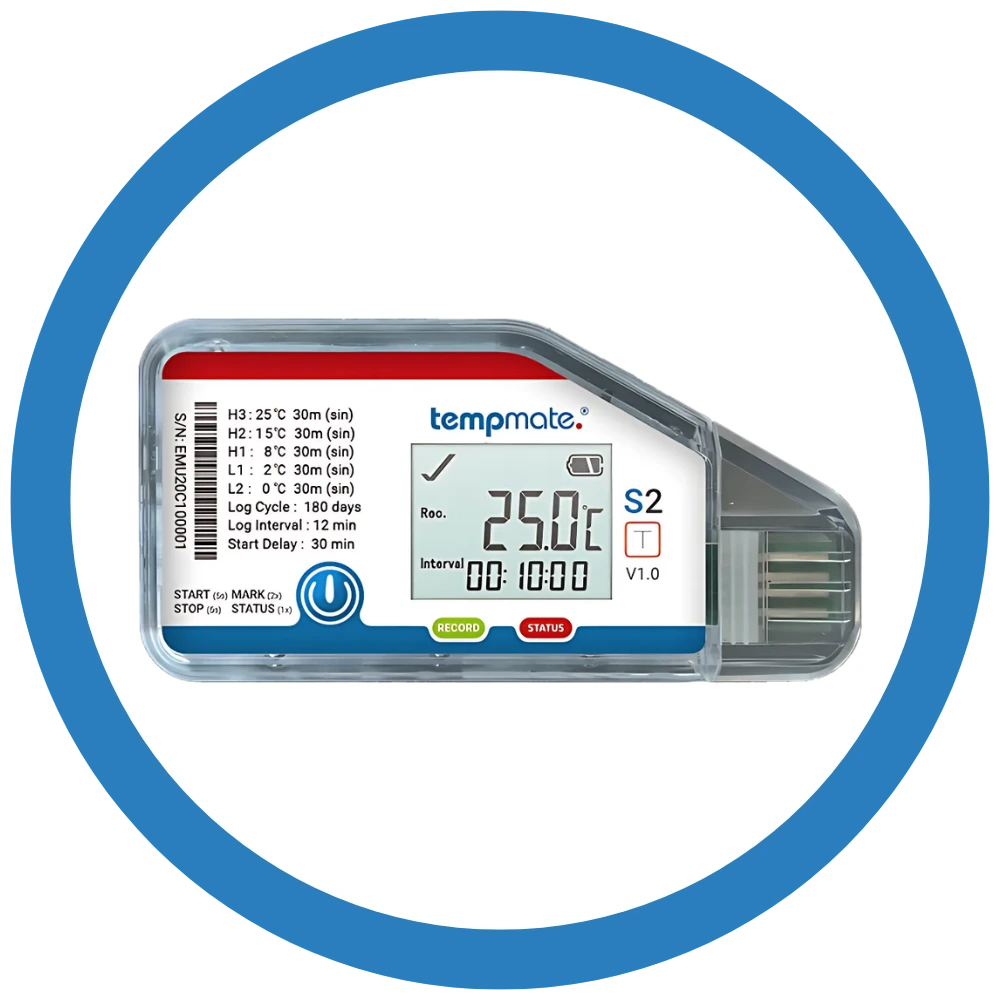
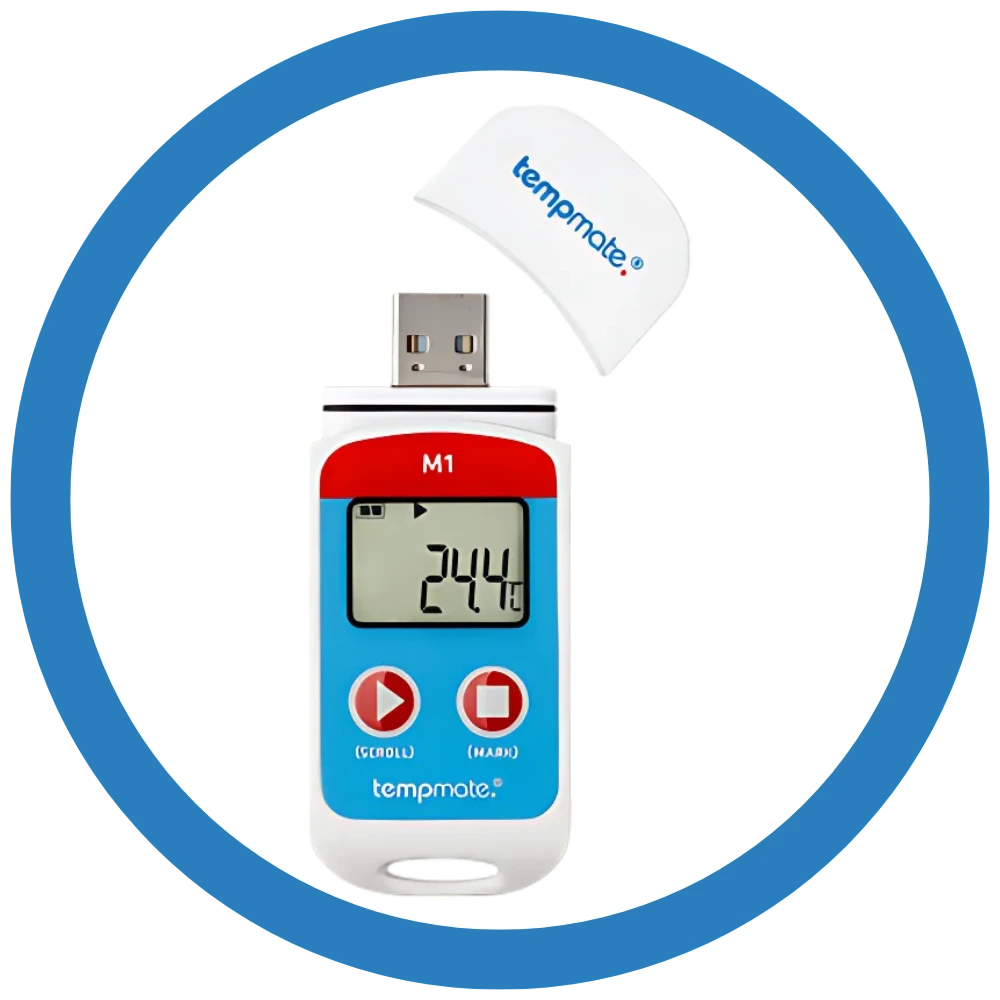
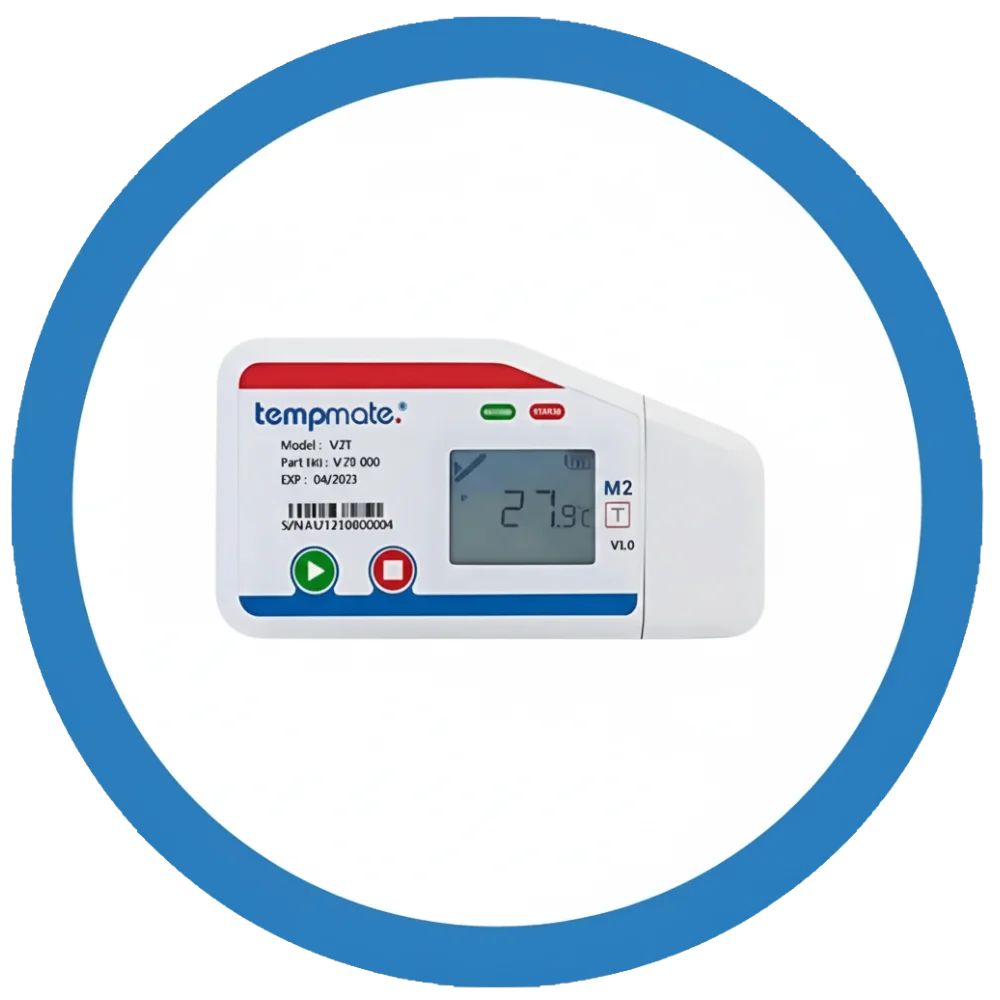
USB temperature data logger devices transform cold chain monitoring by making temperature tracking simpler, smarter, and more reliable. In industries where a clear proof of safety or exposure is required, these compact devices provide the proof, precision and peace of mind for cold chain facilities.
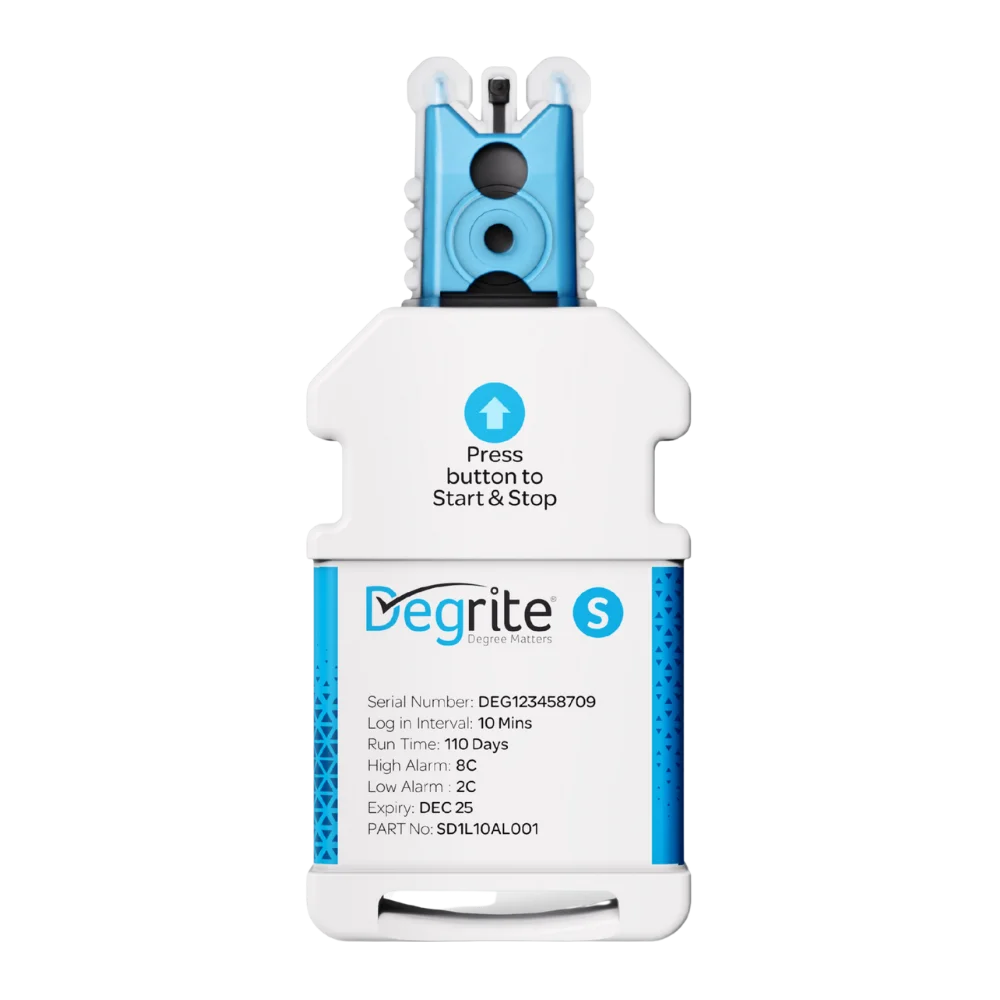
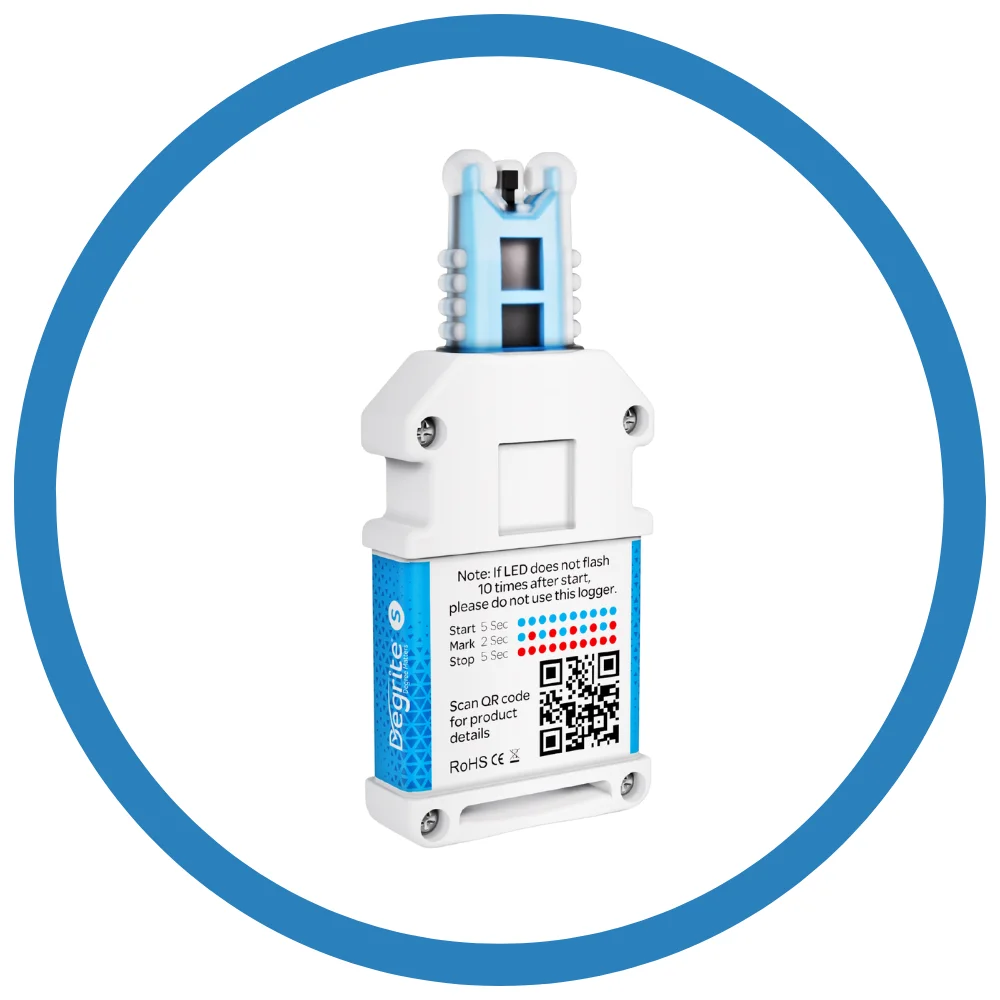
Lisaline Asia manufactures the Degrite S USB temperature data logger, which has a plug-and-play design built specifically for cold chain use. Manufactured under the Degrite® brand, it records temperature at regular intervals, stores data securely in internal memory, and makes reporting effortless through easy USB download in PDF or CSV format.
In this detailed blog we will cover everything you need to know about USB temperature data logger devices and get to know why Lisaline’s Degrite S stands out.
What is a USB temperature data logger?
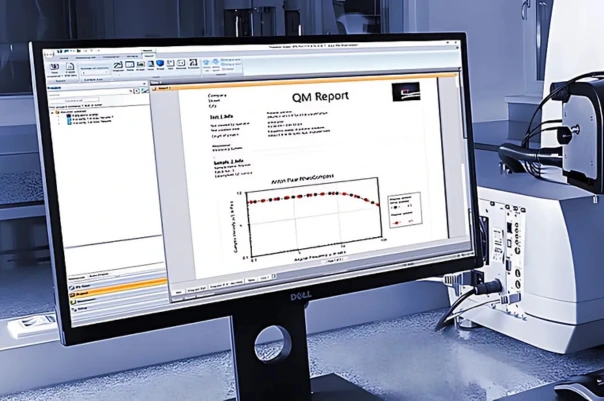
A USB temperature data logger is a small, compact device that measures temperature at regular intervals over time. The readings are stored in the data logger’s internal memory. The data can be viewed when the logger is connected to a computer through a USB port. The PDF data logger allows the data to be exported and downloaded into PDF or CSV files.
Lisaline Asia supplies its own USB data logger, Degrite S manufactured under Degrite®. It records temperature at regular intervals and allows a simple connection to a computer or laptop device through USB. You can view detailed time-stamped data and download reports in the form of PDF and CSV files.
Why is a USB Temperature Data Logger essential for cold chain monitoring?
A USB temperature data logger is essential for temperature monitoring in cold chain logistics because it helps you prove that your products remained within safe temperature limits. Here are some of the reasons why a USB temperature data logger is essential for cold chain monitoring:
- A USB temperature logger connects to a laptop or computer device through a USB port and shows time-stamped data. It gives clear proof of temperature conditions that show whether your product is safe or has been affected.
- The time-stamped data helps you identify temperature breaches and clearly identify where they occurred. It helps users to analyse what conditions caused the temperature breach, which helps in preventing further breaches and product losses.
- When connected to a laptop or computer device through a USB port, you can clearly view the time-stamped data and download reports in the form of PDF or CSV files. This helps in providing clear proof of safety or exposure, whatever the condition is. The PDF or CSV files help in documentation during audits or inspections, ensuring compliance.
- Since a USB temperature data logger does not send data in real time, it does not require any network connectivity like Bluetooth, WiFi, cellular, GSM or LoRaWAN. This helps in monitoring in remote areas where network connectivity may not be available.
- The USB temperature data logger stores the readings in the logger’s internal memory. Therefore, even if the battery drains out unexpectedly, the readings will be stored in the data logger’s memory and will not get lost.
- Various regulatory bodies, including the FDA and WHO, have stringent guidelines regarding temperature control in the storage and transportation of sensitive products. A USB temperature data logger helps businesses adhere to these guidelines by offering detailed and time-stamped temperature records that can be easily reviewed during audits.
Therefore, a USB data logger is essential in cold chain monitoring because it gives you a record, proof, and protection in cold chain monitoring. It helps in product quality, avoid losses, and make better decisions in case of breaches.
How does a USB Temperature Data Logger like Degrite S work?
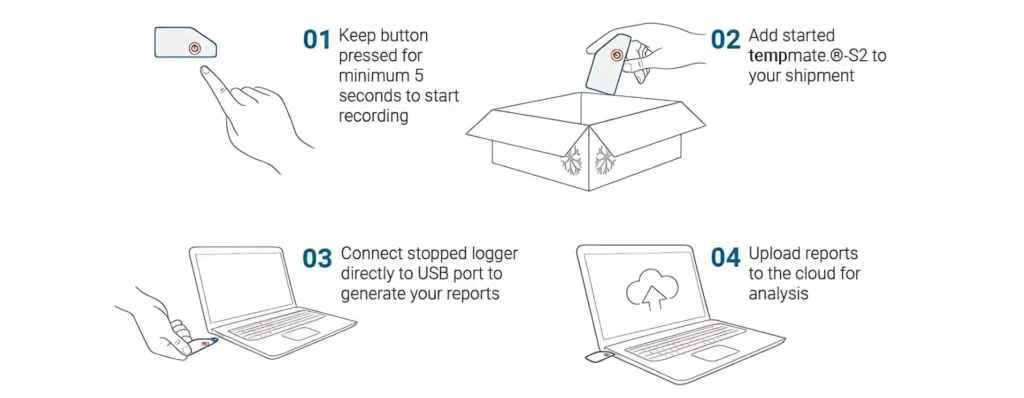
A USB temperature data logger like Degrite S works like a small temperature recorder. It keeps measuring the temperature at regular intervals. The readings are stored in the logger’s internal memory. Later, when the USB data logger is plugged into the computer through the USB port you can see a full time-stamped report.
Here’s how a USB temperature data logger like Degrite S works:
- Keep the button pressed for a minimum of 10 seconds until the lights start blinking in sequence. The data logger will then start recording temperature automatically.
- Then you place it inside a box, refrigerator, truck, cold room or shipment where the temperature needs to be monitored. After that, the USB data logger will keep recording temperature at regular intervals on its own without needing the internet or continuous human attention.
- When the monitoring period is over, you stop the data logger by pressing the button again for a minimum of 10 seconds. Then remove the USB casing from the battery part and connect it to a laptop or computer using a USB.
- Automatically, PDF or CSV reports are generated. These reports show time-stamped temperature data.
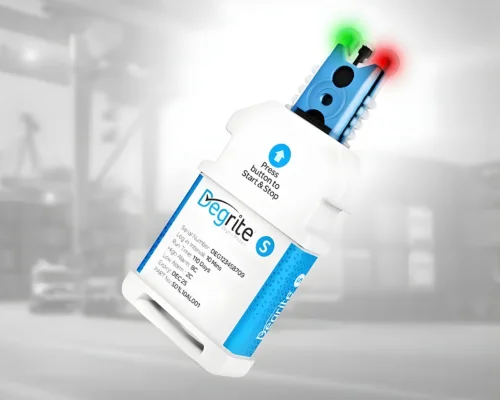
Degrite S also has features like backlog recovery, which helps recover temperature data if there is a brief battery dip so you do not lose important readings. Its LED indicators also make it easier to understand the real-time status at a glance, such as normal, too hot, or too cold.

What are the applications of a USB Temperature Data Logger?
A USB temperature data logger is used in various cold chain monitoring applications where real-time monitoring is not needed. These are especially useful wherever temperature must be tracked first and later verified simply and reliably.
The main applications of a USB temperature data logger are as follows:
- Pharmaceutical Shipments
Monitor vaccines, medicines, and other temperature-sensitive products during transport and storage.
- Cold Chain Logistics
Placed in cartons, trucks, and containers to track conditions during shipment.
- Refrigerated trucks and containers
Used in refrigerated vehicles and shipping containers to check whether the cooling stayed stable throughout the journey.
- Storage rooms and cold rooms
Used in warehouses and cold rooms to make sure the storage environment stays safe.
- Laboratories and life sciences
Used for samples, reagents, and sensitive lab materials that must remain within strict limits to help with audits and quality control.
USB Dataloggers vs Wireless Data Loggers: Which are suitable for your cold chain monitoring needs?
USB Dataloggers and Wireless Data Loggers are temperature and humidity data loggers used in cold chain monitoring. Each of them is suitable for different cold chain monitoring needs. Here is the detailed comparision between the two types of data loggers:
Live data viewing
Wireless data loggers monitor the temperature and other parameters at regular intervals. Then they store the readings in the internal memory and at the same time send those readings in real time through the LoRaWAN network to a web-based platform called OCEAView. Here, the user can view live data, analytics and reports which can be exported and downloaded in the form of PDF or CSV reports. This helps the user to monitor the data in real time.
USB Dataloggers monitor the temperature at regular intervals and store the readings in the USB temperature data logger’s internal memory. The readings are not sent in real time anywhere. However, after the monitoring is completed, the data can be viewed by connecting the logger to a computer device through USB port, where the data can be downloaded into PDF or CSV reports.
Therefore, wireless data loggers allow real-time data viewing of temperature and other parameters however USB dataloggers do not allow real time data viewing. So USB temperature data logger models should be used in cold chain monitoring where real time monitoring is not required.
Alarms in case of breaches
Wireless data loggers allow real time alerts and alarms in case of temperature excursions or breaches. Through the OCEAView app on your mobile or email alerts on your computer device, you can get immediate alarms so you can act immediately and minimise product loss.
USB Data Loggers, on the other hand, provide up to 3 alarms directly on the data logger device. The USB temperature data logger has LED lights that alert you about temperature breaches. However, it does not provide alarms on your mobile or computer device in real time. Only if the data logger is physically in front of you and you can see the lights turning blue or red, you can get the alert. Therefore, USB dataloggers can be used where you do not need to immediately act on temperature breaches.
Temperature Sensors
Wireless data loggers, especially the Cobalt Series temperature and humidity data loggers supplied by Lisaline Asia support multiple temperature sensors. Cobalt X supports 4 external sensors while Cobalt Xs supports upto 2. This helps these data loggers in the monitoring of multiple parameters like temperature, humidity, pressure, CO2, etc.
USB data loggers, the Lisaline manufactured Degrite S supports only one sensor. Therefore, Degrite S can monitor only temperature.
Therefore, for cold chain applications where only temperature monitoring is the goal, USB Dataloggers are useful.
Accessing the Data
The readings made through wireless temperature loggers can be viewed in real time on OCEAView, web based platform or the mobile app. These readings can be viewed in real time. There is no need to connect the data logger through USB or any other way physically.
USB dataloggers store the readings in internal memory. When the monitoring is done and the USB temperature data logger is connected to a computer or laptop device via a USB port, the data can be viewed. Without connecting the data logger physically through USB to a computer or laptop, the data cannot be viewed.
Installation and Setup
Once the wireless data logger is unpacked, batteries are inserted, and then the antenna is attached. The antenna allows the data logger unit to communicate wirelessly with the LoRaWAN gateway and the monitoring platform. The logger is then powered on, registered on the OCEAView platform. Once the wireless temperature logger is registered on OCEAView platform, the sensors are checked and added. The user can use built in sensors or add external sensors. In Cobalt X up to 4 external sensors are allowed.
The next step is to confirm that the logger can see the gateway. The screen should show a strong connection indicator, such as solid bars, which tells you the logger is communicating correctly. After that, you can set the reading interval, alarm conditions, and other sensor settings based on your monitoring needs.
Finally, the logger is started so it begins recording data and sending it to OCEAView through LoRaWAN.
A USB data logger has an easier installation and setup process. Lisaline’s USB temperature data logger, Degrite S, is very easy to setup because of its plug-and-play principle. You can directly start recording temperature after setting intervals. Degrite S does not require network connectivity so Antenna installation or registration on any platform is not needed. The readings are directly stored in the internal memory and viewed once the monitoring is completed.
Therefore, for quick temperature monitoring, a USB data logger like Degrite S saves time and provides accurate continuous temperature monitoring. For complex multi-parameter and multi-point monitoring, wireless data loggers like Cobalt X will be useful.
Battery Use
Wireless Data Loggers generally consume more battery because they send data continuously through a network. Cobalt X wireless data loggers typically offer around 1 year or more of battery life under normal use and may also support AC power or battery backup.
USB dataloggers usually consume less power because they are not transmitting live data. Degrite S supports long monitoring periods and can record upto 110 days with 5 minute intervals.
Cost
When it comes to acquisition cost, wireless data loggers like Cobalt X are usually more expensive than USB temperature data logger models like Degrite S. This is because Cobalt X is a complex wireless monitoring system that records multiple parameters like temperature, humidity, CO2, pressure, etc. However, a USB temperature data logger like Degrite S monitors only temperature.
Moreover, Degrite S is a single-use USB data logger while Cobalt X is a reusable wireless data logger. Wireless data loggers like Cobalt X provide real time monitoring with LoRaWAN connectivity and live data viewing and alerts on OCEAView so they are more expensive than simple USB loggers like Degrite S that do not provide real time monitoring but allow USB connection to laptop or mobile device.
Scalability
Wireless data loggers like Cobalt X supplied by Lisaline are used for more scalable and complex cold chain monitoring applications. They record multiple parameters like temperature, humidity, pressure, CO2 and others. Moreover, they provide real time data transmission and viewing through OCEAVIew with real time alerts. This makes them scalable for advanced cold chain monitoring where real time monitoring is required.
USB dataloggers like the Degrite S, manufactured by Lisaline, are used for less-scalable options and simple temperature-monitoring applications. They record temperature at regular intervals without real-time transmission and viewing. They are suitable where temperature data can be viewed later after monitoring.
Network Connectivity
Wireless datalogging requires LoRaWAN network connectivity for transmitting live data to OCEAView. Therefore, it can only send live data and provide real-time alerts in case of temperature excursions, only if LoRaWAN long-range connectivity is available. Otherwise, wireless data loggers cannot send real-time data.
USB dataloggers on the other hand, do not require network connectivity since they do not transfer live data.
Therefore, in remote areas where network connectivity is not available, USB dataloggers are the best temperature monitoring solution.
Data Logger Display
A wireless data logger Cobalt X has a color touchscreen display, specifically a 2.4-inch glove-compatible touch screen used for setup, reading the latest measurements, checking alarm status, and acknowledging alarms. It also uses visible alert indicators on the device, so it is not just a passive logger with no local display.
USB temperature data logger like Degrite S do not have a colour touchscreen display. The latest measurements can be checked only after monitoring is stopped and the logger is connected to a computer or mobile device via USB. It uses multi-colour LED indicators for status and alarms: green for normal, blue for too cold, and red for too hot.
Which of these are suitable for cold chain monitoring needs?
Wireless data loggers provide better performance in cold chain applications that require continuous monitoring, together with remote control and quick response capabilities. The equipment must be installed in pharmaceutical warehouses, vaccine storage facilities, laboratory refrigerators, cold storage rooms, and high-risk shipping areas to detect temperature deviations that require immediate attention. The system provides monitoring solutions for various conditions, which include temperature and humidity, pressure and CO2, and other environmental factors that need to be measured simultaneously at different locations. Wireless loggers enable organisations to implement their essential cold chain operations, which require both scalable growth and compliance with industry regulations.
USB temperature data logger serves as the superior solution for cold chain applications that require monitoring capabilities which do not depend on continuous network access or immediate operational response. The equipment should be implemented for basic shipment monitoring needs, which include tracking short storage times, performing temperature checks and conducting simple cold chain assessments that allow data analysis after the tracking period. The system serves as an essential tool in areas where users experience poor internet connectivity, and organisations operate with budget constraints, and employees need to record temperature data before creating reports. The USB temperature data logger functions as an essential tool for organisations that require basic temperature recording capabilities in their cold chain operations while maintaining budget limitations.
How to choose the best USB temperature data logger for your cold chain facility?
To choose the best USB data logger for a cold chain facility, focus on how well it matches your product, your storage conditions, and your reporting needs. In simple words, the best logger is the one that can record the right temperature accurately, store enough data, survive your working environment, and give you easy reports later.
Here are some of the factors to consider while choosing the best USB temperature data logger for your cold chain facility:
1. Temperature range
The USB temperature data logger should cover the full temperature range your products may face, including normal storage, chilled transport, and deep cold conditions. If the range is too narrow, the device may fail to capture important events or may not work properly in extreme conditions. For example, Degrite S USB data logger is designed for cold chain use with a range of -30°C to +70°C.
2. Accuracy
Accuracy tells you how close the logger’s reading is to the actual temperature. In cold chain work, this matters because even a small error can make a safe shipment unsafe or hide a real temperature problem. Degrite S offers an accuracy of ±0.5°C, which is suitable for sensitive cold chain monitoring.
3. Memory capacity
The logger must be able to store enough readings for the full trip or storage period. If the memory is too small, you may lose important data before you download it. Degrite S supports long logging periods and can store data for up to 110 days at 5-minute intervals, which makes it useful for many cold chain cycles.
4. Logging interval
A good logger should let you choose how often it records temperature. Short intervals give more detailed records, while longer intervals save memory and battery. Degrite S supports adjustable intervals from 1 second to hours, so it can be adapted to different monitoring needs.
5. Battery life
Battery life is important because the logger must keep working until the job is finished. If the battery dies too early, you lose visibility into the shipment or storage period. Degrite S includes backlog recovery and is built for dependable cold chain monitoring, which helps reduce the risk of missing data in case of sudden battery drains or power outages.
6. Ease of use
The device should be simple to start, stop, download, and read. A cold chain facility often needs a USB temperature data logger that staff can use without special training. Degrite S is designed with LED status indicators and USB report downloading, which makes it easier to handle in day-to-day operations.
7. Report format
You should check whether the USB data logger gives easy-to-read reports, such as PDF or CSV files. This matters because teams often need records for audits, customer proof, and internal review. Degrite S supports PDF and CSV report downloading, which is useful for documentation and sharing.
8. Alerts and warning levels
If your facility needs quick warning signs, the USB temperature data logger should support alarm thresholds. This helps detect temperature excursions before they become a bigger problem. Degrite S supports up to 3 alarm levels and uses colour indicators for normal, too hot, and too cold conditions.
9. Durability
A USB temperature data logger should be strong enough to handle daily use, transport, and storage conditions. If it is too fragile, it may not survive handling in cold conditions. Degrite S is built as a compact USB cold chain logger with a robust design; IP67-rated construction helps protect it from dust and water, making it practical for regular industrial use.
10. Compliance and documentation
For pharmaceutical and food applications, the USB temperature data logger should support quality control and compliance needs. Temperature-sensitive products should align with FDA and WHO standards and regulations. You need to have time-stamped proof that your products were kept within safe limits. Degrite S USB data logger provides time-stamped proof of temperature data, which can be downloaded into PDF and CSV reports, ensuring compliance during audits and inspections.
What are the top features of Degrite S USB Temperature Data Logger?
Degrite S, Lisaline’s USB temperature data logger has a lot of versatile features that make it the best choice for cold chain applications during shipments and storage:
Temperature range
Degrite S is designed for cold chain use with a temperature range of -30°C to +70°C. This is a suitable temperature range for use in chilled storage, refrigerated transport, and controlled environments.
Precision temperature sensor
With advanced temperature sensor, Degrite S makes highly accurate temperature readings with an accuracy of ±0.5°C. This accuracy is suitable for cold chain monitoring. It is a single sensor data logger.
Memory Capacity
Degrite S supports long logging periods and can store data for up to 110 days at 5-minute intervals. This makes it useful for many cold chain cycles when the logger needs to record data for many hours, days, or even longer journeys.
Adjustable Logging Intervals
This USB temperature data logger allows you to set the logger to record temperature at different time intervals depending on your monitoring needs. Degrite S supports adjustable intervals from 1 second to hours, so it can be adapted to different monitoring needs. Setting shorter logging intervals uses more battery, and longer logging intervals use less battery.
Backlog Recovery
Since the temperature readings are stored in the logger’s internal memory, they are safely protected. This USB temperature data logger can recover temperature readings that were recorded before a brief battery dip or power interruption so the data record stays complete and no data is lost.
USB plug and play download
Once the temperature monitoring is complete, you can simply connect the USB temperature data logger to a computer through USB port. Then you can automatically view detailed time stamped temperature data. There is no complicated setup or extra technical step involved.
Real Time Status Indicators
Degrite S is a USB temperature data logger that uses multicoloured LED lights to show its current status clearly. These lights make it easy to understand whether the data logger is recording normally or if there has been a temperature breach. The green light on the Degrite S data logger shows normal temperature, the blue light shows that the temperature has dropped, and the red light shows a spike in temperature.
Degrite S supports up to three alarm levels for temperature limits. The data logger warns you when the temperature goes outside the safe range. When the temperature goes outside the safe range, the device shows a warning light so you can spot a problem quickly during storage or transport. You can set up to 3 alarm levels on Degrite S, so it can warn you for different temperature situations instead of only one simple alert. If the temperature becomes too high or too low, the logger responds with a visual signal on the LED display.
Compact portable design with IP67 protection
Degrite S has a compact, portable body, so it is easy to place inside refrigerators, cartons, boxes, cold rooms, or transport containers. The USB temperature data logger has an IP67 protection also helps it resist dust and water exposure.
Conclusion- USB Temperature Data Logger for Precise Cold Chain Monitoring
In conclusion, a USB temperature data logger is a simple, dependable, and cost-effective solution for cold chain monitoring when you need accurate temperature records without real-time connectivity. It stores time-stamped data in internal memory, helping businesses verify product safety, identify temperature breaches, and maintain clear documentation for audits and inspections.
For time-stamped proof of temperature data of your products, choose Degrite S USB temperature data logger. Contact our team to discuss your requirements and visit our website for more details today.