
Vaccines, medicines, blood and lab samples are rarely in front of someone. They sit in cold rooms that staff open a few times a day. They travel in sealed boxes through trucks, airports and customs sheds. A cold room door may not shut fully. A shipment may wait too long on a tarmac. A compressor may stop at 2 AM. Most of the time, no one knows until the product is already damaged.
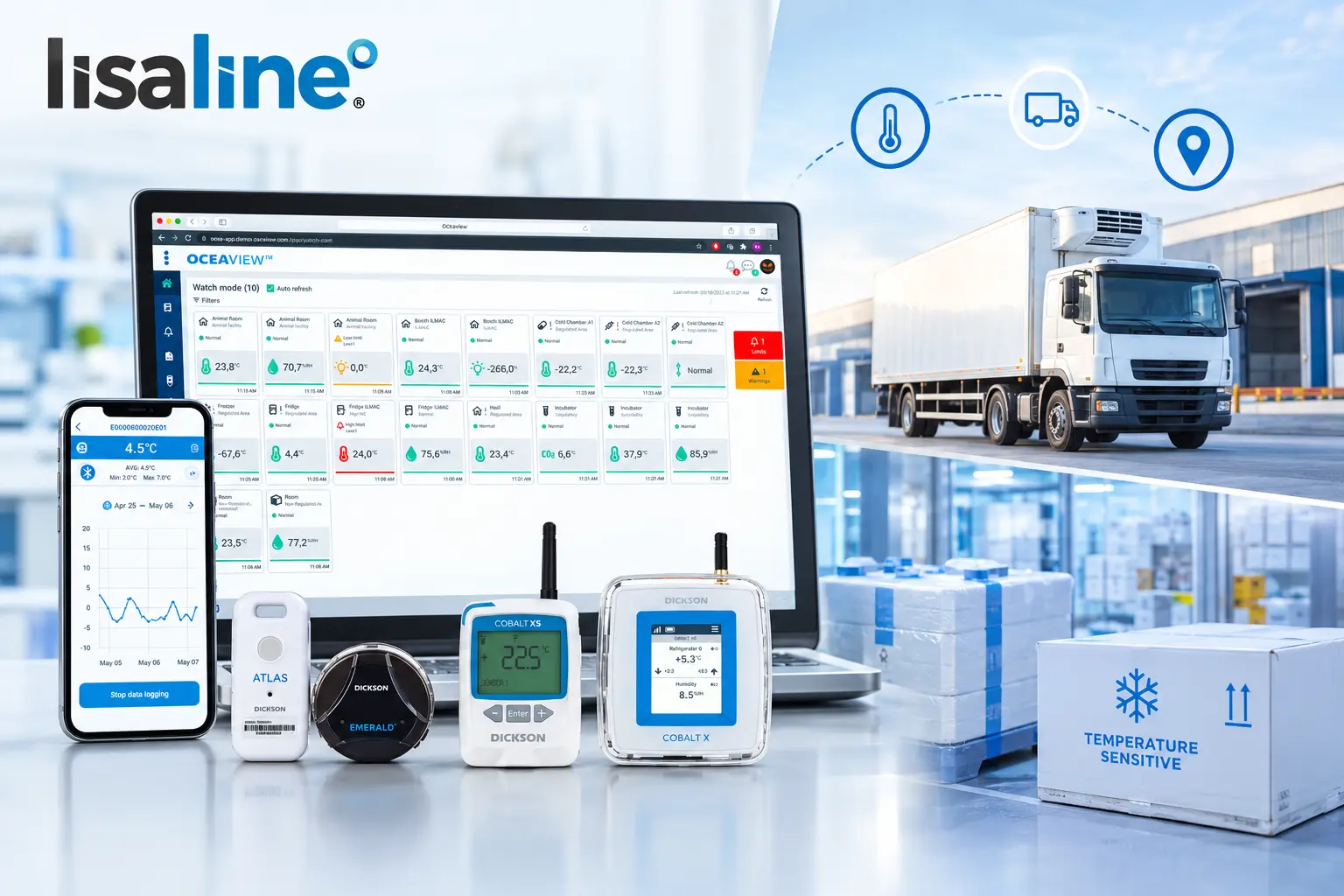
This is where a remote temperature data logger helps. It records the temperature and sends every reading to the cloud while the product is still in storage or on the road. Your team can see live data and get alerts from anywhere, and act before the product is lost.
In this blog, we explain what a remote temperature data logger is, how it works, its features and types, where it is used and how it helps cold chain facilities, hospitals and pharmaceutical companies prevent temperature excursions.
What is a Remote Temperature Data Logger?
A remote temperature data logger is a device that records temperature at set intervals and sends the readings to a cloud platform over a network. You can view the data and receive alerts from anywhere. You do not need to be near the device or the product.
Like any data logger, it has three main parts. A sensor measures the temperature. A clock notes the date and time of each reading. A memory chip stores every reading safely.
The difference is how the data reaches you. A USB logger keeps its data until someone plugs it into a computer. A display logger shows the reading only to someone standing next to it. For a shipment, this usually means you see the data after delivery. For a cold room, it means you see it only when someone checks. By then, the only choice left is to use the product or throw it away.
A remote temperature data logger does not wait. It sends readings to the cloud over 4G, LoRaWAN, WiFi or Bluetooth with a gateway. A quality manager in one city can watch a cold room in another. A logistics team can follow a shipment from the plant to the customer on one dashboard.
The simple test is this. If you need to be near the device to know the temperature, it is not remote. If the data reaches you wherever you are, it is a remote temperature data logger.
How Does a Remote Temperature Data Logger Work?
A remote temperature data logger records temperature, stores each reading and sends the readings to a cloud platform at regular intervals. The platform checks every reading against your limits and alerts your team when a limit is crossed.
1. Placing and Starting the Logger
The logger is placed inside the shipment box or fixed in the cold room, freezer or warehouse. It is paired with its cloud platform and started. From here, it works on its own.
2. Recording Each Reading
The sensor takes a reading at the logging interval you set, such as every 5 or 15 minutes. Each reading is saved in memory with the date and time.
3. Sending the Data to the Cloud
The logger sends its stored readings to the cloud at a separate interval, called the transmission interval. How the data travels depends on the type. A 4G logger like the Tempmate GS2 uses the mobile network to reach the tempmate Cloud. A LoRaWAN logger like the Cobalt X sends data to a gateway on your site, which passes it to the OCEAView cloud. A WiFi logger uses your site network. A Bluetooth logger sends data to a nearby gateway or phone, which then uploads it.
4. Checking Limits and Raising Alerts
The platform checks every reading against the high and low limits you set. If a reading crosses a limit, it sends an alert to your team by SMS, email, phone call or app notification.
5. Viewing Data and Downloading Reports
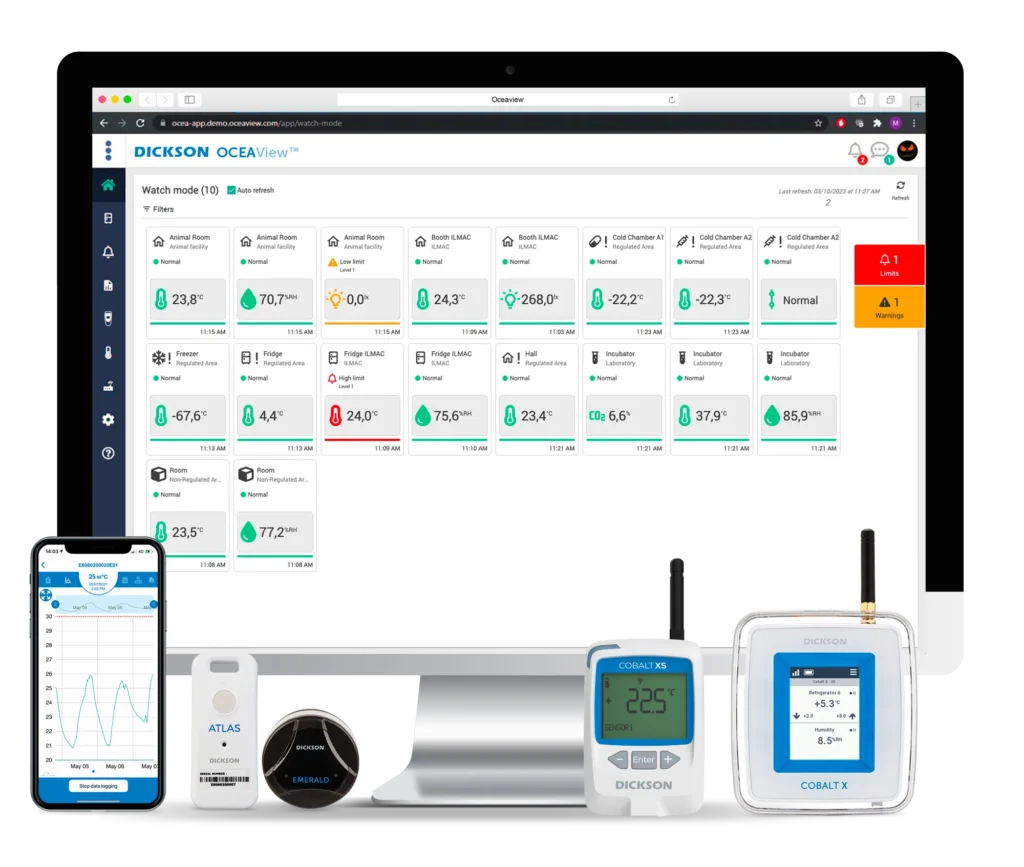
Your team can see live readings, graphs and alarm history on a browser or mobile app. Time stamped reports can be downloaded at any time for audits.
What Happens if the Network Drops?
Your data stays safe. A remote temperature data logger keeps recording and stores every reading in its memory. Once the network returns, it uploads the missed readings. The live view may have a short gap, but the final record stays complete.
Why Do the Two Intervals Matter?
Many people expect a real time data logger to show every change the second it happens. In practice, data is sent in batches. Sending data uses more battery than taking a reading, so most loggers send less often than they record. If a logger records every 5 minutes but sends data every 15 minutes, an alert can take up to 15 minutes to reach you.
So set the intervals based on how fast your product or storage can warm up. A vaccine fridge with a narrow range needs short intervals. A large frozen warehouse that warms slowly can use longer ones. For shipments, balance this with battery life so the logger lasts the full trip. If you are not sure, our team can help you choose the right settings for your remote temperature data logger.
What are the Features of a Remote Temperature Data Logger?
The main features of a remote temperature data logger are a cloud dashboard, multi level alarms, alert escalation, device fault alerts, a secure audit trail and shipment condition tracking. Each feature solves a real problem that cold chain teams face every day.
One Dashboard for All Locations
A distributor may run many cold rooms, fridges and shipments at once. If each device keeps its own data, no one sees the full picture. A remote temperature data logger sends all data to one platform. OCEAView, used with Dickson devices like Cobalt X, Cobalt XS, Emerald and Atlas, shows every cold room, freezer and vehicle across different sites on one screen. It works on the web and on a mobile app for Android and iOS. It is also available as an on premises version for companies that want to keep data on their own servers.
Multi Level Alarm Limits
With only one alarm limit, you face a problem. If you set it right at 8°C for a 2°C to 8°C product, your team hears about it only when the product is already out of range. If you set it lower, alerts come every time a door opens. OCEAView lets you set up to 3 high and 3 low warning levels. For example, you can set an early warning at 7°C, a main alarm at 8°C and a critical alarm at 9°C. You can also add a short delay so a brief door opening does not trigger a false alarm.
Alert Escalation
An email sent at 2 AM may not be read until morning. An SMS may reach someone who is asleep or on leave. OCEAView sends alerts by email, SMS, voice call and app notification. It contacts people one after another until someone acknowledges the alarm. Staff can acknowledge on the Cobalt X touchscreen using a PIN, or from the web or mobile app. OCEAView also supports LoRaWAN sirens, so an alarm can sound on site as well.
Device Fault Alerts
A dead battery, a loose probe or a lost connection does not look like an emergency. The dashboard may keep showing the last reading while the product is not being watched at all. OCEAView sends technical alerts for sensor and device problems. Your team finds out when a remote temperature data logger goes offline, so there is no hidden gap in your record.
Secure Audit Trail
Auditors ask more than whether the temperature stayed in range. They want to know who changed a setting, when an alarm started and who responded. OCEAView logs every login, every settings change and every alarm from start to acknowledgement. In line with FDA 21 CFR Part 11, old records cannot be hidden or deleted. You can export reports as PDF, CSV or XLSX, or schedule them to be created automatically.
Shipment Condition and Location Tracking
A temperature graph shows when a breach happened. It does not show where the shipment was or what happened to it. The Tempmate GS2 and GM2 also record humidity, light, shock and tilt, along with an approximate location based on mobile towers. You can see which part of the route caused the rise and whether the box was opened or dropped. For Bluetooth loggers, OCEAView can tag events with the GPS location of the phone that synced the data.
What are the Advantages of Monitoring Temperature Remotely with a Remote Temperature Data Logger?
The biggest advantage of a remote temperature data logger is that you find out about a problem while you can still fix it. It turns temperature monitoring from a record of what went wrong into a way to stop losses.
Action Before the Product is Lost
With an offline logger, you usually see the data after delivery or at the end of the week. A remote temperature data logger lets you act while the problem is happening. A cold room at 7.5°C can be brought back before it crosses 8°C. A shipment warming on a tarmac can be moved to a cold store in time.
Nights, Weekends and Holidays are Covered
Most hospitals, stores and warehouses have fewer staff after office hours. But power cuts and compressor faults can happen at any time. A remote temperature data logger works the same at 3 AM as it does at 3 PM. With voice call alerts, even a small on call team can look after many sites.
Early Signs of Equipment Failure
A fridge or cold room rarely fails without warning. It may take longer to cool after a door opens, or run slightly warmer for days before it stops. Manual checks twice a day cannot catch this. Cloud graphs show these trends clearly. Your maintenance team can service the unit before it breaks down.
Less Stock Thrown Away
When a quality team does not have the full temperature history, they often reject the whole batch to be safe. Much of that stock may still be fine. Data from a remote temperature data logger shows exactly how high the temperature went and for how long. Your team can compare this with the product’s stability data and make a clear decision.
Clear Answers in Carrier Disputes
When a shipment arrives warm, every party often says the problem happened somewhere else. Time stamped readings with location data show exactly when and where the temperature changed. This helps settle claims with facts and shows which routes or partners need attention.
More Stable Storage and Fewer Errors
Every time staff open a cold room door to read a thermometer, warm air gets in. Manual logs also bring missed entries and wrong readings. A real time data logger records and sends readings on its own. Doors stay shut and records stay accurate.
What are the Different Types of Remote Temperature Data Logger Devices?
There are four types of remote temperature data logger devices: 4G GSM loggers, LoRaWAN loggers, WiFi loggers and cloud connected Bluetooth loggers. The right one depends on whether your product is moving or stored in one place, and what network is available there.
Many buyers choose a logger based on its features alone. But the network decides whether the data will actually reach you. A WiFi logger will not work inside a truck. A 4G logger may be more than a fixed cold room needs. A Bluetooth logger without a gateway will not alert anyone during transit. So the first step in choosing a remote temperature data logger is to match the network to where your product is.
4G GSM Loggers for Shipments
A 4G GSM logger sends data over the mobile network, the same way a phone does. It works wherever there is mobile signal, so it can report from highways, airports, ports and warehouses across cities and countries. This makes it the best choice for shipments.
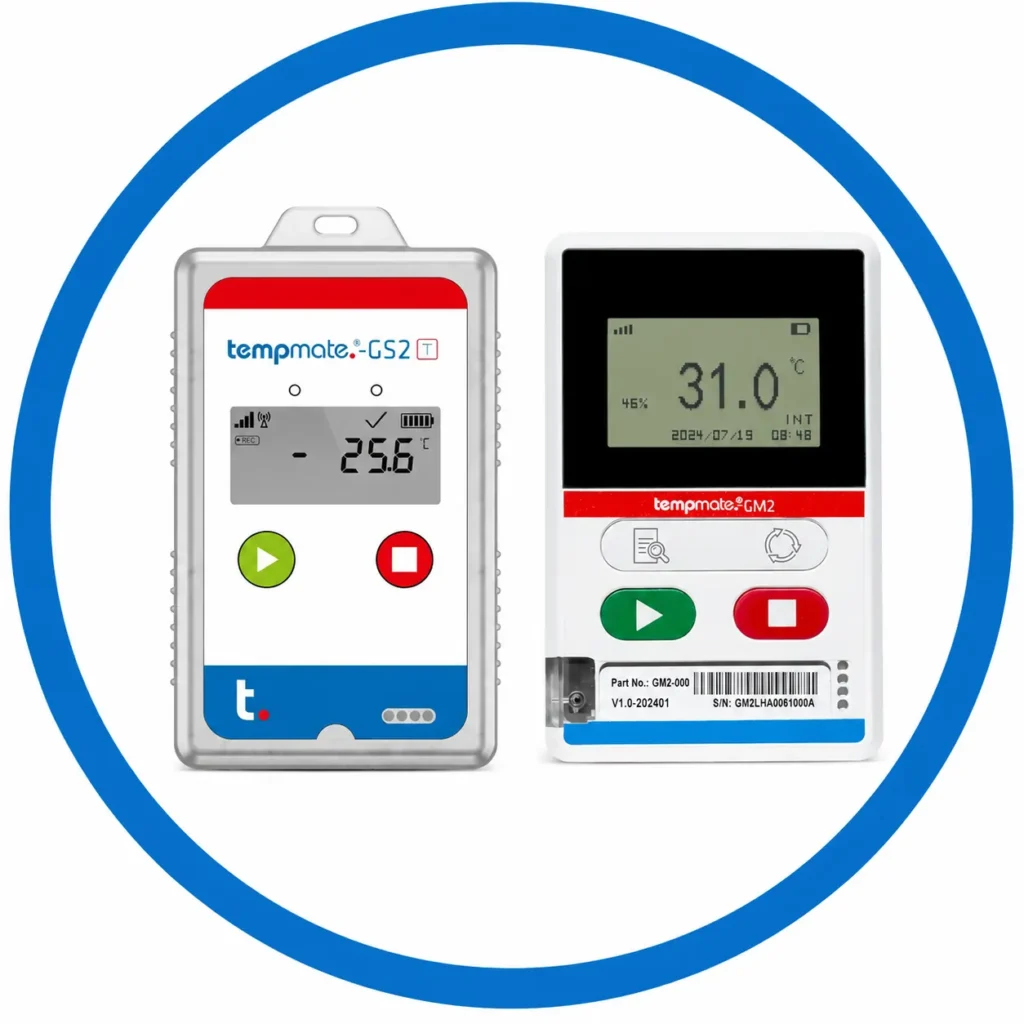
The Tempmate GS2 is a single use logger for one way shipments where the device will not come back. The Tempmate GM2 is reusable, with a rechargeable battery that lasts up to 120 days. Its flight mode keeps it recording during air cargo. Both connect over 4G with 2G fallback, so they keep reporting even in areas with older networks. Both also support an external probe that measures down to -200°C for deep frozen goods. See our GSM data loggers.
LoRaWAN Loggers for Large Storage Sites
A LoRaWAN logger sends small packets of data over long distances using very little battery. It sends readings to a gateway on your site, and the gateway passes them to the cloud. One gateway can cover a large site, with a range of up to 15 km in open line of sight. This makes LoRaWAN a good fit for cold rooms, warehouses, labs and large campuses where WiFi does not reach every corner.
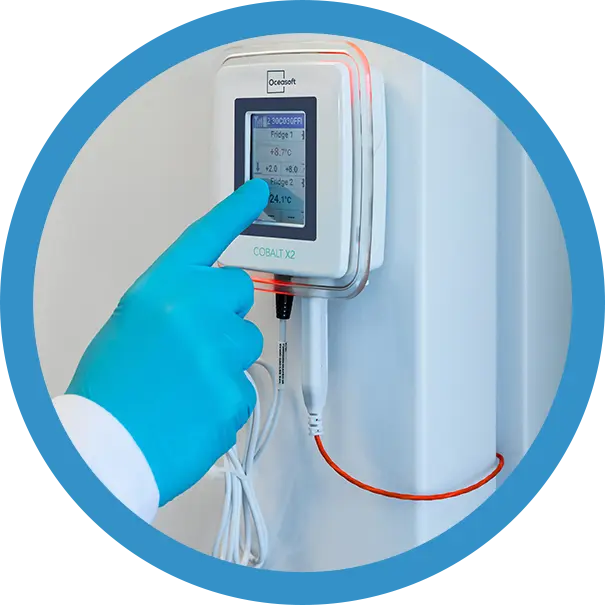
The Cobalt X connects up to 4 wired or wireless sensors and can also monitor humidity, CO2 and differential pressure. It has a touchscreen and can run on battery or AC power. The Cobalt XS is the compact option. It takes one external probe and runs for at least a year on a replaceable battery. Both send data to OCEAView. Learn more about our wireless datalogging system.
WiFi Loggers for Sites with Existing Networks
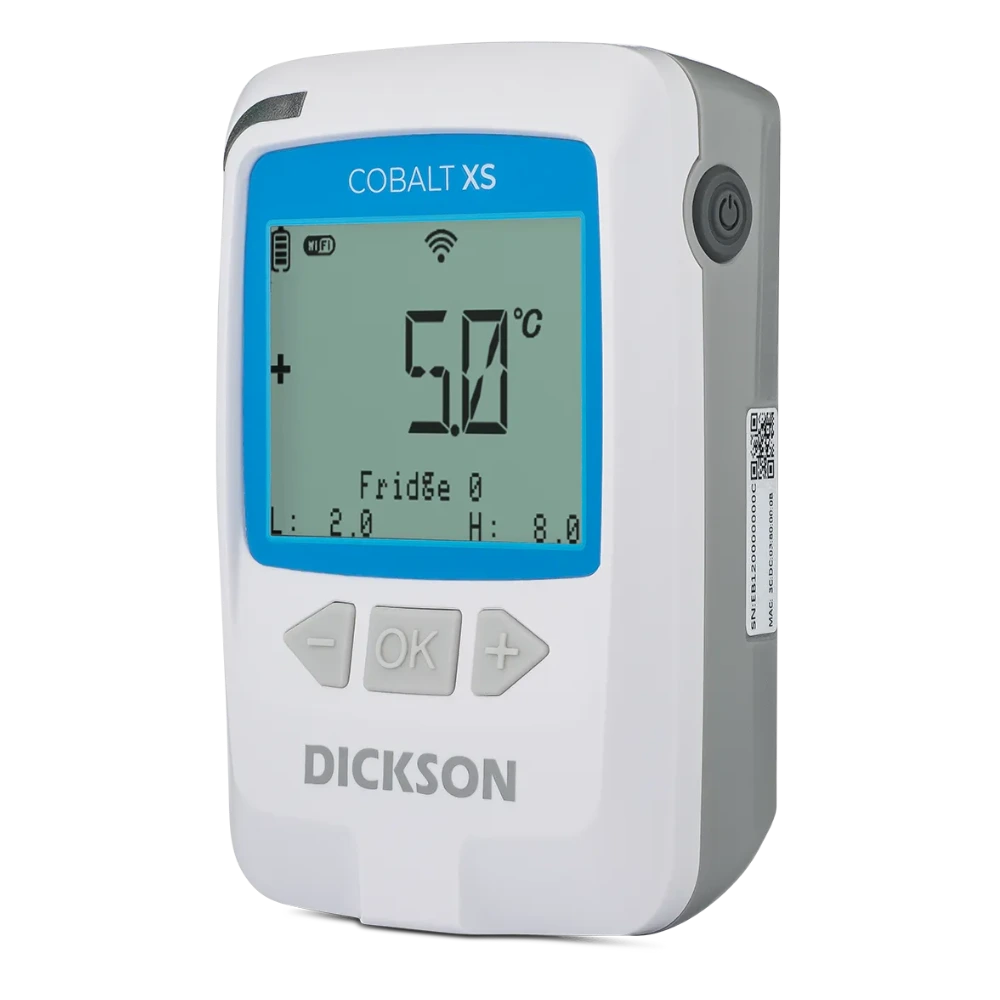
A WiFi logger connects directly to the WiFi network you already have. No gateway is needed, which keeps the setup simple and the cost low. It suits hospital pharmacies, clinics, labs and small storage areas where the WiFi signal is strong and stable.
The Cobalt XS WiFi sends data to OCEAView or DicksonOne. If the WiFi drops, it keeps recording and uploads the readings once the network returns. It is made for fixed indoor storage, so it is not the right choice for shipments or large sites with weak WiFi.
Cloud Connected Bluetooth Loggers for In Box Monitoring
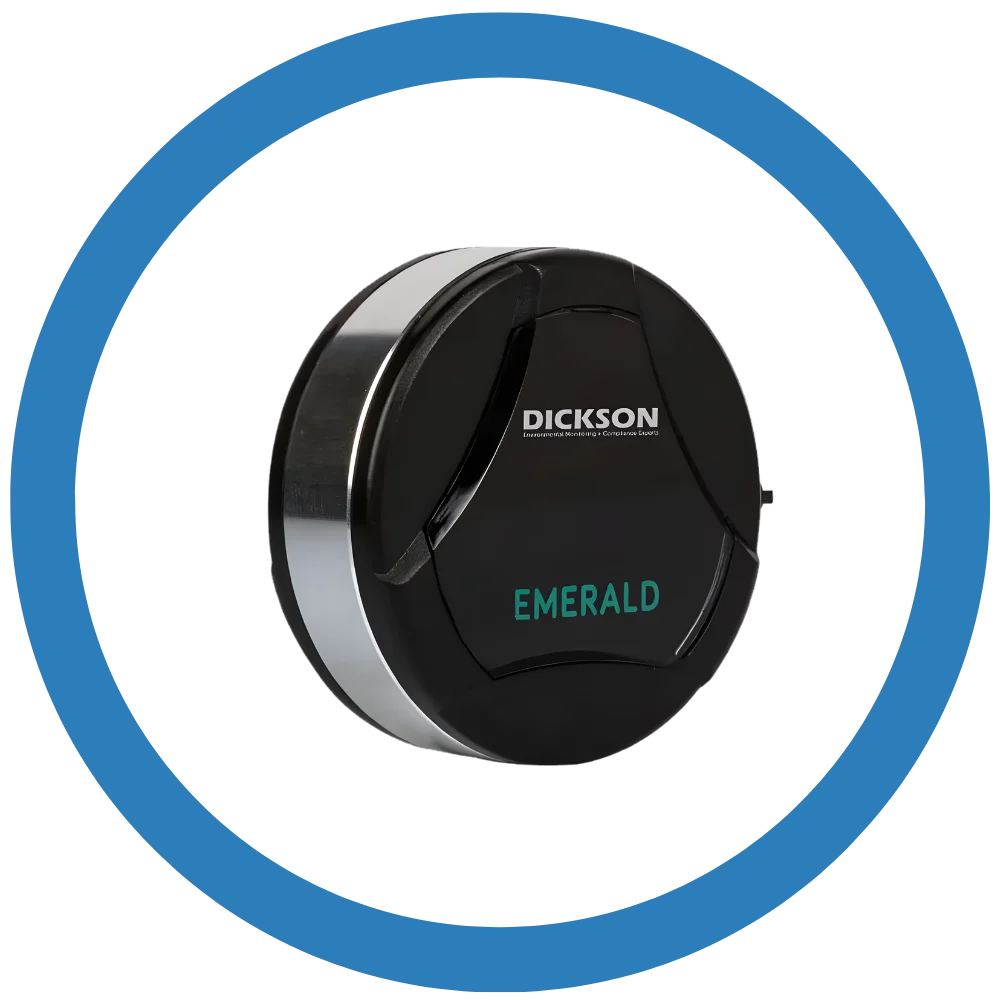
A Bluetooth logger is small enough to sit inside packaging, right next to the product. It sends its data to a nearby gateway or smartphone, which then uploads it to the cloud. This lets you check readings without opening the box.
The Emerald monitors temperature. The Atlas also monitors humidity and light. The Zebra ZS300 is a rugged IP67 logger that syncs through a Zebra bridge or an Android device.
A Bluetooth logger works as a remote temperature data logger only when a gateway or phone is within range. In a cold room with a fixed gateway, data reaches the cloud on its own. During transit, data syncs whenever the logger passes a gateway or a phone with the app. Emerald and Atlas can also work as wireless sensors for the Cobalt X, which sends their data over LoRaWAN. See our Bluetooth data loggers.
Which Type Should You Choose?
If your product is moving between cities or countries, choose a 4G GSM logger. If it is stored in a large cold room, warehouse or campus, choose a LoRaWAN logger. If it is stored in a small room or fridge with good WiFi, a WiFi logger is the simplest option. If you need a small logger inside the box, choose a Bluetooth logger with gateways at your storage points or hubs. Many cold chains use more than one type of remote temperature data logger, with fixed loggers for storage and 4G loggers for shipments.
What are the Applications of a Remote Temperature Data Logger in Storage and Shipment Monitoring?
A remote temperature data logger is used wherever a temperature sensitive product needs watching but no one can stay with it all the time. Here is how it helps in storage and in transit.
Storage Monitoring
- Pharma warehouses and distribution centres. Large warehouses have warm spots near doors, docks and top racks. One sensor cannot catch them all. Several LoRaWAN loggers placed at the right points, found through temperature mapping, feed one OCEAView dashboard.
- Vaccine stores. Many district stores have few staff. A freezer or ice lined refrigerator can fail when the store in charge is away. A remote temperature data logger with escalating alerts makes sure someone is reached. Read more about vaccine cold chain monitoring.
- Hospital pharmacies and blood banks. Fridges are opened many times a day and left alone at night. Alarm delays and multi level limits help staff tell a normal door opening from a real fault.
- Laboratories. Samples and reagents in ULT freezers often cannot be replaced. External probes on a Cobalt X or Cobalt XS track these units. Voice call alerts reach lab managers wherever they are.
- Food cold storage. Frozen food warehouses face compressor faults and long power cuts. Cloud trend graphs help catch a failing unit before stock starts to thaw.
Shipment Monitoring
- Domestic pharma distribution. Road shipments across India face heat, traffic and unplanned stops. A 4G remote temperature data logger reports through the whole trip, so dispatch can call the driver as soon as something changes.
- Export and air cargo. International shipments pass through many handlers. The biggest risk is often time spent on tarmacs and in terminal sheds. The Tempmate GM2 keeps recording in flight mode and reports again on landing.
- Clinical trial samples. Samples move between sites, central labs and CROs. A shared cloud record shows every party the same journey data.
- Last mile delivery. Vehicles may not be refrigerated and cold boxes are opened at every stop. A small Bluetooth logger inside a box from our cold chain boxes range lets field staff check readings on a phone without opening the lid.
- Reefer trucks with many drops. Each stop lets warm air in. Data from a remote temperature data logger shows which stop caused a rise and how long the truck took to recover. This helps plan better routes and loading order.
How to Prevent Temperature Excursions with a Remote Temperature Data Logger?
A remote temperature data logger prevents temperature excursions by sending real time alerts the moment the temperature starts moving out of range. When staff act quickly on these alerts, the problem is fixed before the product is exposed for too long.
The remote temperature data logger does not cool anything. What it gives your team is time. How much that time helps depends on how fast your team responds.
Here is a simple example. Say a cold room at 5°C starts warming by about 1°C every 10 minutes after its compressor stops. Without remote monitoring, the next person to notice may be the morning shift, hours later. With a remote temperature data logger set to give an early warning at 7°C, your team knows within minutes. If someone switches to a backup unit or moves the stock in the next half hour, the room never crosses 8°C. A fault that could have destroyed a batch ends as a small event.
Every room and every box warms at a different speed. But the rule is the same. The faster your team detects and acts, the less damage the product suffers. Here is how to set up your system for a fast response.
1. Set Limits That Give You Time to React
Do not set your first alarm at the edge of the safe range. Use an early warning inside the range, a main alarm at the limit and a critical alarm beyond it. Add a short delay so normal door openings do not trigger alerts. Review the settings after a few weeks. If staff keep ignoring certain alerts, adjust the limits.
2. Give Every Alert an Owner
Many excursions happen because everyone thinks someone else will respond. Name a first contact, a backup and an escalation contact for each cold room and each shipment route. For storage, this may be the store in charge, the maintenance technician and the quality head. For shipments, it may be the dispatch team, the freight forwarder and the logistics manager. Enter them in order in OCEAView. The platform will keep calling down the list until someone responds.
3. Choose the Right Channel for Each Alert
Use email for early warnings and records. Use SMS or app alerts when someone needs to know quickly. Keep voice calls for critical alarms, especially at night. A phone call gets a faster response than an email.
4. Plan What Staff Should Do
When your remote temperature data logger sends an alert, staff should know exactly what to do. Write a short action plan for the most common situations.
- Cold room door left open. Store staff close the door, check the seal and watch the dashboard until the temperature comes back.
- Power cut or compressor fault. Maintenance switches to backup power or calls the technician. If the repair will take time, staff move critical stock to a backup unit or into active cooling boxes.
- Shipment stuck at an airport or customs. The GS2 or GM2 alert shows the rising temperature and the approximate location. The logistics team asks the forwarder or ground handler to move the cargo into the terminal cold store.
- Reefer truck breakdown. Dispatch calls the driver and arranges a replacement vehicle or a nearby cold store before the load warms up.
- Cold box losing its cooling. If a delivery is delayed and the coolant is wearing out, the field team swaps in fresh coolant or moves the product to another box.
- Logger goes offline. Staff check the battery, probe and connection right away. A product that is not being monitored is a risk in itself.
5. Confirm the Temperature Has Recovered
Acknowledging an alarm is not the end. Staff should fix the cause and keep watching the dashboard until the temperature is back in range and stable. OCEAView records who acknowledged each alarm and when, so you have proof of how your team responded.
6. Learn from Past Alarms
Check your alarm history every month. A room that warms every afternoon may need a strip curtain or a service visit. A route that keeps causing alerts may need better packaging, a different carrier or a change in timing. A real time data logger shows you these patterns, so you can fix the cause and stop the same excursion from happening again.
Why Choose Remote Temperature Data Logger Devices from Lisaline Asia?
Lisaline Asia supplies every major type of remote temperature data logger for storage and shipment. We also set up, calibrate, validate and support each device, so your team can rely on it from the first day.
A remote temperature data logger is only as useful as its setup. If the alarm limits are wrong, your team gets missed alerts or too many false ones. If the contact list is incomplete, alerts reach no one. If a sensor is placed in the wrong spot, it shows one temperature while the product sits at another. If a device goes out of calibration, your records will not hold up in an audit. This is why we do not stop at supplying the device. Here is what you get when you choose us.
1. Every Type of Remote Logger from One Supplier
Most suppliers stock one or two types of logger and try to fit every customer into them. We supply 4G GSM, LoRaWAN, WiFi and Bluetooth loggers, along with offline USB and display models.
This means you can cover your whole cold chain through one partner. Your cold rooms and warehouses can run on Cobalt X or Cobalt XS. Your pharmacy fridges can use Cobalt XS WiFi. Your shipments can travel with Tempmate GS2 or GM2. Your cold boxes can carry Emerald, Atlas or Zebra ZS300.
It also means we can give you honest advice. We recommend the remote temperature data logger your product and route actually need, not the one we happen to have in stock. If a lane does not need live alerts and an offline logger is enough, we will tell you. You do not pay for a cloud setup you do not need.
2. Authorised Supplier of Dickson, Tempmate and Zebra
We are the authorised supplier of Dickson, Tempmate and Zebra devices. Every logger comes with genuine packaging, proper labelling, manufacturer warranty and official documentation.
This matters more than it seems. Look alike devices are easy to find and hard to spot. A logger with a faulty sensor or no valid calibration gives you false confidence. It may show safe readings while the product is actually at risk, and its records will not stand up during an inspection. Buying from an authorised source removes this risk.
3. Cloud Platform Setup and Alarm Configuration
A remote temperature data logger depends on its cloud platform. We connect each device to the right platform, whether it is OCEAView for Dickson loggers, tempmate Cloud for Tempmate loggers or Zebra’s platform for the ZS300.
Our team then sets up the details that decide how well the system protects your product. We set the logging and transmission intervals based on how fast your product or storage can warm up. We set early warning, main and critical alarm levels to match your product’s safe range. We add alarm delays so normal door openings do not flood your team with false alerts. We enter your escalation contacts in the right order, so every alert reaches someone who can act on it.
Most of our Tempmate loggers arrive pre calibrated and pre configured with a validation certificate. The GS2 and GM2 connect to the tempmate Cloud as soon as they start. So your first shipment does not have to wait for setup.
4. Installation, Commissioning and Staff Training
For storage monitoring, our technicians install and commission the loggers and gateways on site. We check that each device can reach its gateway or network and that readings are reaching the dashboard.
We also train your staff. They learn how to read the dashboard, what each alarm level means, how to acknowledge an alarm and how to download reports. When everyone knows their role, alerts turn into action faster.
5. Temperature Mapping for the Right Sensor Placement
Every cold room and warehouse has warm and cold spots. These are often near doors, cooling units, walls and top racks. A sensor placed in a convenient spot may miss the place where the real risk is.
We carry out thermal mapping to find these spots. The results show exactly where each remote temperature data logger should be placed, so your dashboard reflects what your products are actually exposed to. We also provide IQ and OQ validation and WHO PQS testing, so your monitoring system is documented and ready for inspection.
6. Calibration in Our Own NABL Accredited Lab
Accurate readings need regular calibration. Most loggers should be recalibrated once a year, and more often for sensitive products like vaccines and blood.
We recalibrate devices through our own NABL accredited, ISO/IEC 17025 certified lab in India. We offer both in lab and on site calibration. Your devices do not have to be sent abroad, so you are not left without monitoring for weeks. For loggers that use Dickson Smart Sensors, calibration data is stored in the sensor itself. The sensor can be swapped for recalibration while the logger stays in place, so your record continues without a break. Every calibration comes with a traceable certificate that you can keep on file for audits.
7. Maintenance, Spare Parts and 24×7 Support
A remote monitoring system has to keep running for years. We offer preventive maintenance contracts, repairs, battery replacements and genuine spare parts, all backed by manufacturer warranty.
Remote monitoring is a round the clock job, so our support is too. Our online support team is available 24×7 for real time datalogging systems. If an alarm, a connection problem or a platform question comes up at midnight, you do not have to wait until morning. See our full range of cold chain services.
8. Cold Chain Experience Since 1998
We are not a general instrument dealer that added data loggers to a catalogue. Cold chain monitoring has been our only business since 1998. We introduced the world’s first miniaturised Vaccine Vial Monitor technology in India during the polio eradication programme.
Today, more than 500 clients across India, South Asia and the Middle East trust our devices. They are used in pharma plants, hospitals, blood banks, labs, food storage and logistics. This experience helps us understand the real challenges of your cold chain and recommend a monitoring setup that works in practice, not just on paper.
Conclusion: Why Your Cold Chain Needs a Remote Temperature Data Logger?
A remote temperature data logger shows you the temperature of your cold rooms and shipments from anywhere. More importantly, it warns your team while there is still time to act. It removes manual checks, covers nights and holidays and gives you clear records for audits.
To get the most from it, choose the right type for each part of your cold chain. Set early warning limits. Give every alert an owner and a clear action. Review your alarm history to fix problems that keep coming back.
Want to know which remote temperature data logger is right for your storage or shipments? Contact our team and we will help you choose.