
When you think of monitoring temperature sensitive products in a cold chain storage facility or shipments, the question arises, which data logger system should I choose followed by how should I set it up?
You would already know the benefits and importance of installing a data logger system to protect your temperature sensitive inventory and catch excursions which is why you are here trying to discover the further steps.
Lisaline Asia offers a range of temperature data logger devices, some also offering multi-parameter monitoring. These include:
- LoRaWAN Wireless Data Loggers
- GSM Data Loggers
- Bluetooth Data Loggers
- USB data loggers with offline monitoring
- Wifi Data Loggers
We help you select the right data logger system among these for your storage facility or shipment monitoring. With over 28 years of experience leading the cold chain monitoring innovation in India, we have the expertise and knowledge required to assist and guide you while selecting your monitoring devices.
Lisaline Asia also provides complete assistance in the installation and setup of these data loggers. From thermal mapping for identifying where to place them to programming these data loggers, setting up alarm limits, making them monitoring, and regular calibration to ensure they provide accurate results, we do it all.
In this detailed guide we will comprehensively discuss:
- What is a data logger system and why do you need one?
- Which data logger system should you choose?
- How to set up a data logger system with Lisaline Asia?
- What are the regulatory compliance requirements your data logger system should fulfill?
- Why choose Lisaline Asia for a data logger system?
What is a data logger system and why do you need one?
A data logger system is a set of data loggers set up in a cold chain storage facility or shipment vehicle for monitoring the temperature and other required conditions of temperature sensitive products like pharmaceuticals, vaccines, biologics, and blood products.
Setting up a data logger system is not enough, choosing the right set of data loggers, placing them at the right places so that they catch all excursions and programming them with the right alarm limits and monitoring intervals is what matters.
A data logger system is mandatory and not an optional choice for any facility storing or a shipment vehicle carrying temperature sensitive goods. It is important to constantly monitor the environmental conditions surrounding these products at regular intervals because otherwise, if the products go outside their safety limits and these excursions do not get detected, you risk supplying degraded and damaged products in the pharmaceutical supply chain and this risks patient safety. The main reason why you cannot go on without a data logger system is that these products do not show any physical change even if they have been affected. They do not show any colour change or any sign of degradation even when they might have been completely damaged from inside due to heat or other conditions.
An efficient data logger system properly records temperature and other conditions at regular intervals, sends alarms when conditions go out of range for teams to take action, provides a clear time stamped audit ready record that can be presented during audits and inspections.
Installing a data logger system is also required for regulatory compliance. Regulators in pharma, food, and healthcare don’t just ask whether your product was stored correctly. They ask whether you can prove it, with reliable, tamper-proof, traceable records. A data logger system is the most practical way to produce that proof.
Want a data logger system that provides audit ready reports with time stamped readings?
Contact us for a free site visit, thermal mapping to understand which data logger system is right for you. Our data loggers depending on the model are 21 CFR Part 11 compliant support WHO GDP/GMP guidelines and hence support regulatory compliance.
Which data logger system should you choose?
Lisaline Asia supplies multiple types of data logger system with different network connectivity types. This makes the data logger system suitable for multiple storage facilities and shipment types. Before helping you to choose the data logger system for your facility, first you should know which temperature data logger models can you choose.
Wireless Data Loggers
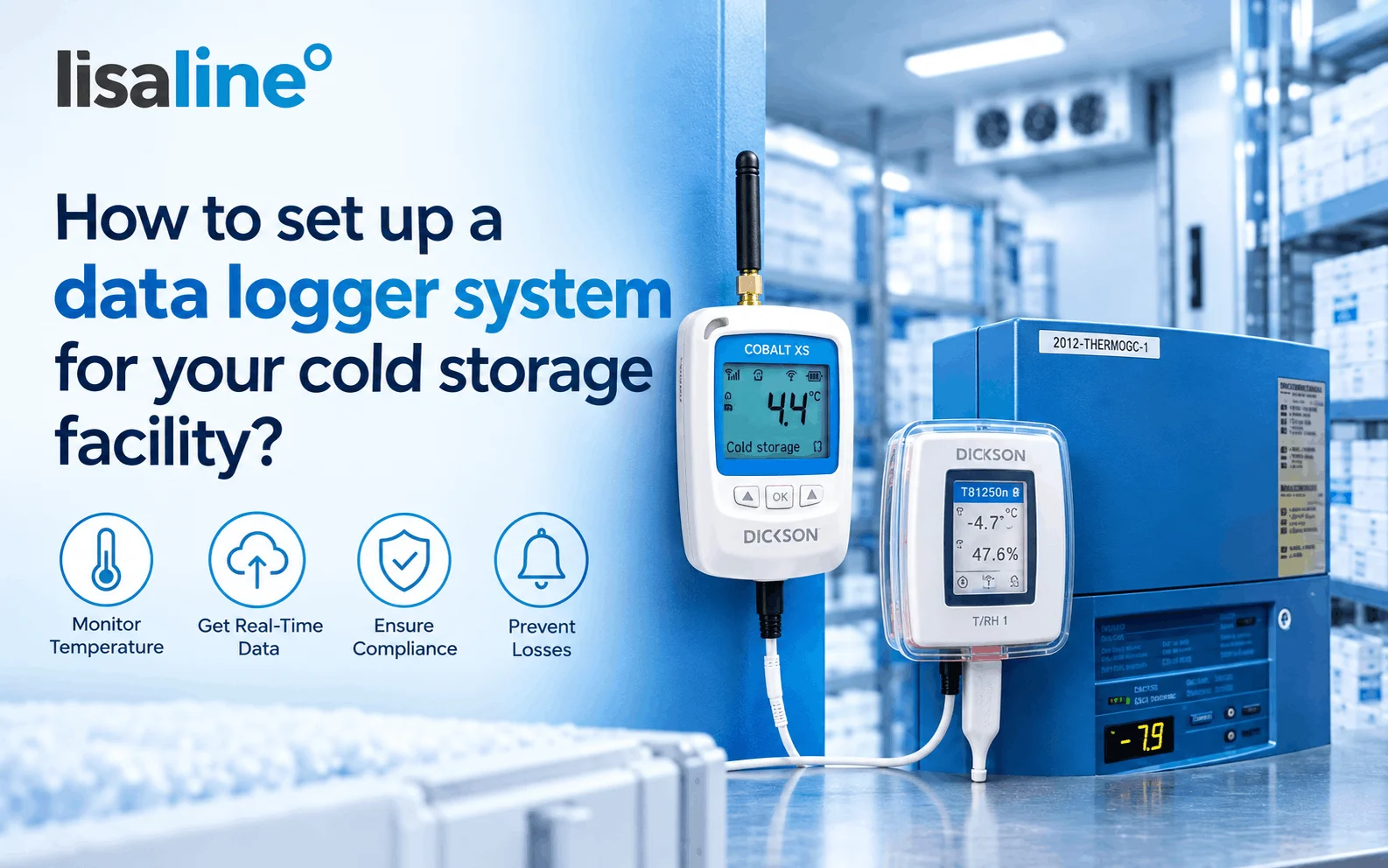
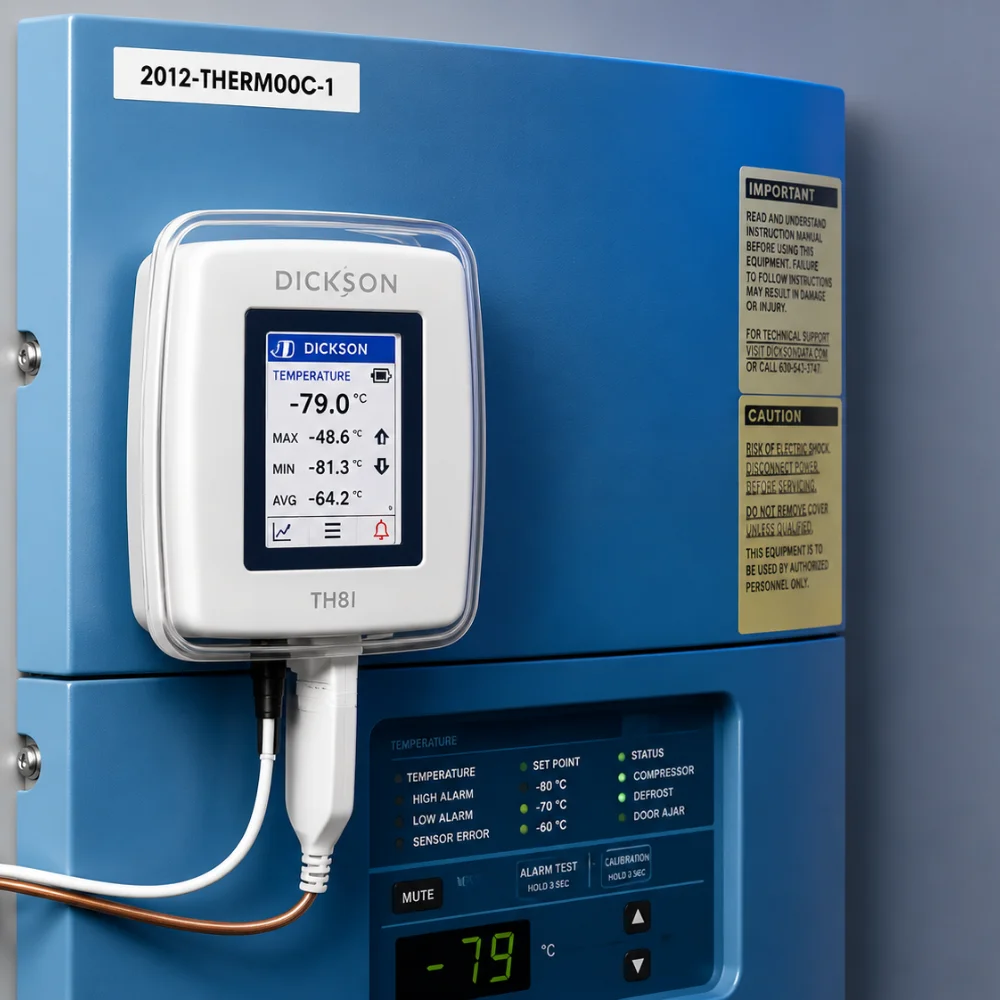
The wireless data loggers from Lisaline Asia require LoRaWAN gateway for long range data transmission. These data loggers which include Dickson manufactured Cobalt X and Cobalt Xs provide real time storage monitoring. These remove the need for manual logging in cold storage facilities and simplify record keeping by directly transmitting the data to the OCEAView cloud platform. When conditions go out of range the cloud platform sends real time alerts through SMS, email, and sometimes through voice calls whichever is selected during programming. Suitable for fixed storage monitoring, this type of data logger system also provides multi-parameter monitoring.
GSM Data Loggers
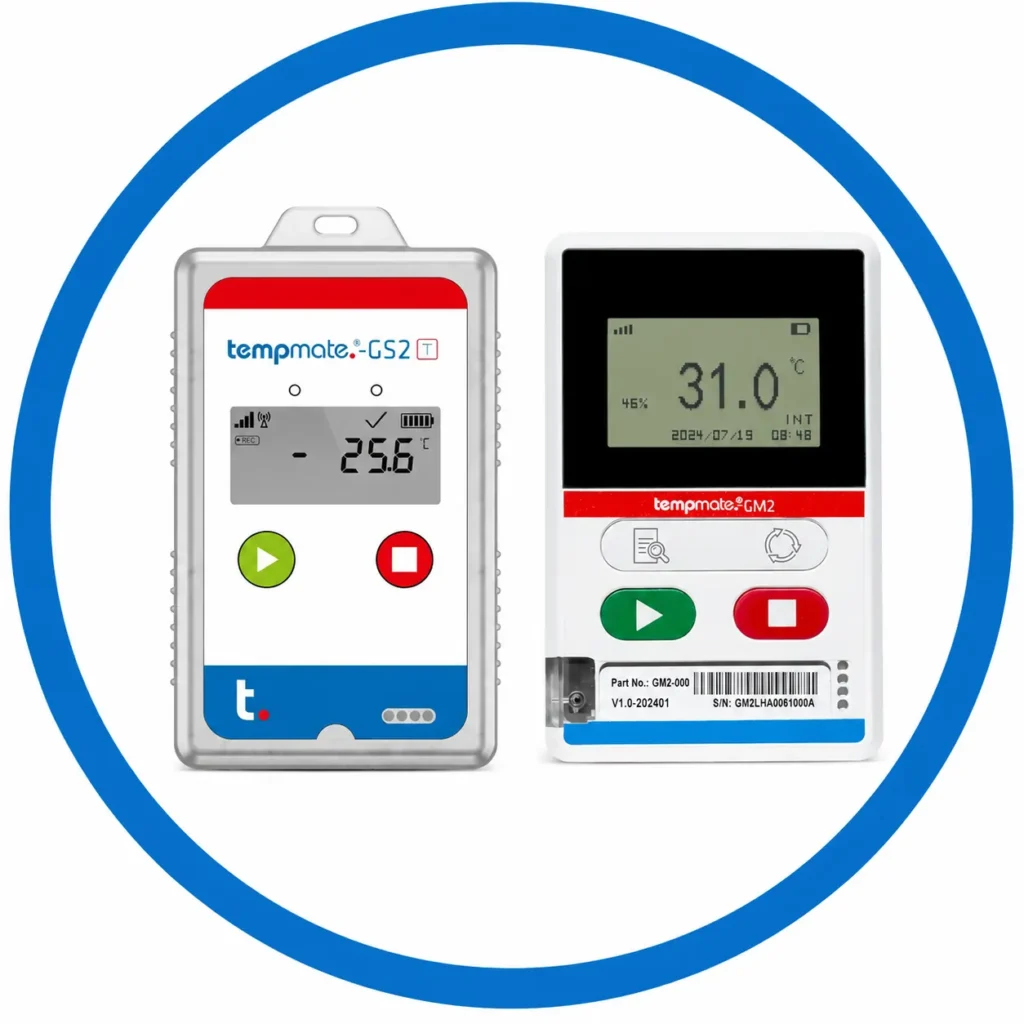
The GSM Data Loggers from Lisaline Asia require no existing infrastructure and send data through mobile networks. These data loggers have worldwide connectivity due to 4G networks. This type of data logger system includes 4G data logger devices manufactured by Tempmate like Tempmate GS2 and GM2 which are single use and rechargeable respectively. These also allow multi-parameter monitoring as they monitor temperature, humidity, light, shock, tilt, etc. They send data to the tempmate cloud platform from anywhere in the world. This makes them suitable for shipment monitoring usually international shipments as they are suitable for air travel also. You can monitor high value shipments from any corner of the world and receive real time alerts when conditions go out of range.
Bluetooth Data Loggers
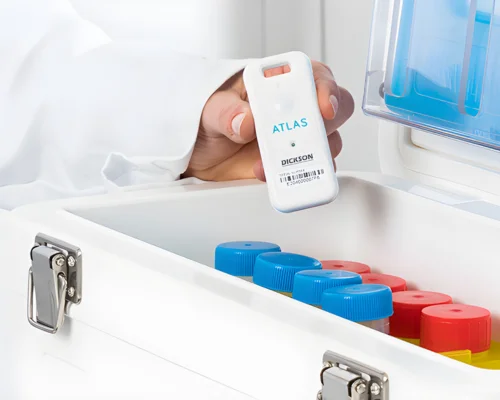
Lisaline Asia supplies Bluetooth Data Loggers– Dickson manufactured Emerald, Atlas and Zebra manufactured ZS300. This type of data logger system does not require any existing infrastructure just requires a mobile phone that is connected to bluetooth near the device to transmit data to the cloud platform. These are suitable for both storage and shipment monitoring as long as you have a bluetooth connected mobile device near the data logger. The Emerald and Atlas can also be paired as sensors with the Cobalt X data logger system. All of the models send data to their respective cloud platforms and when conditions go out of range, they send real time alerts.
USB Data Loggers
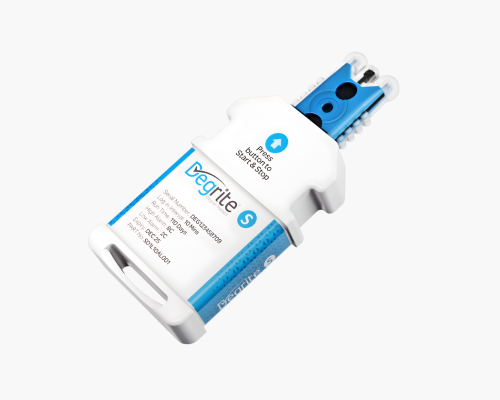
For offline monitoring during shipments or power outages, Lisaline Asia supplies USB data loggers. We manufacture our own USB data logger Degrite S and also supply the display data logger devices with USB from Tempmate like Tempmate S2, M1 and M2. This data logger system records the data and stores it in the internal memory. It can be retrieved post monitoring by plugging in the data logger with a laptop. You can automatically generate audit ready PDF/CSV reports. No network or software needed.
Wifi Data Loggers
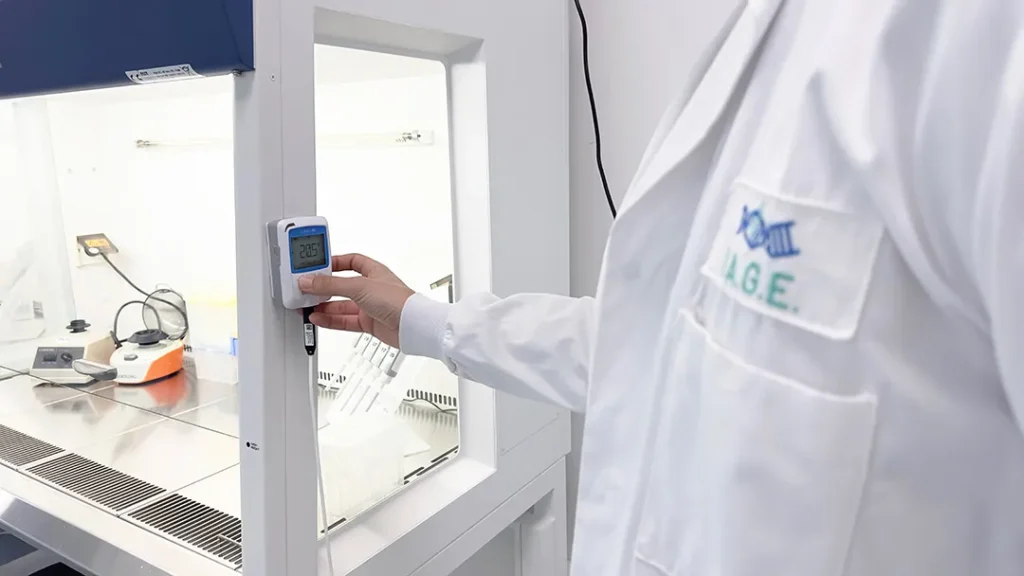
Lisaline Asia supplies Wifi data loggers for storage monitoring. Small cold storage facilities do not require a large LoRaWAN infrastructure. They can continue data transmission with an existing wifi network. A Cobalt XS wifi data logger is perfect for the job. It transmits data via the existing wifi network to the OCEAView cloud platform and also sends real time alerts when conditions go out of range.
Which data logger system should you choose?
Setting up a data logger system starts with one decision: how will the temperature data travel from the logger to the people who need to see it? Your answer depends on the size of your facility, the network available on site, and what you are monitoring. Once the connectivity is clear, choosing the logger and installing it becomes much easier.
Choose the data logger system based on network availability
1. Wi-Fi data loggers for small facilities
If your facility is small, with one or two cold rooms, you do not need any external LoRaWAN infrastructure. The data logger system can connect to your existing Wi-Fi network and send readings straight to the cloud platform. This keeps the setup of the data logger system simple and the cost low, because there is no additional gateway to buy or maintain. You only need to make sure the Wi-Fi signal is stable inside each cold room, since thick insulated walls and metal doors can weaken it.
2. LoRaWAN data loggers for large facilities with multiple cold rooms
If your facility is large and has several cold rooms spread across different blocks or floors, Wi-Fi will rarely reach every room reliably. In this case, you install a LoRaWAN gateway, which acts as the midway point between the data loggers and the cloud platform. The loggers send their readings to the gateway over long-range, low-power radio, and the gateway forwards the data to the cloud. One gateway can cover a large area, so you can add more cold rooms later without redesigning your network. LoRaWAN signals also pass through walls and insulated panels far better than Wi-Fi.
3. GSM 4G data loggers for worldwide data transmission
GSM 4G data logger system uses a mobile network, so they do not depend on your facility’s Wi-Fi or any local infrastructure. They can transmit data from any part of the world, which makes them the right choice when the loggers are on the move or when your site has no dependable network of its own.
4. Offline data loggers where connectivity is limited
Offline data loggers record readings on their own memory and do not need any network at all. They work well for shorter shipments, for remote locations with no connectivity, and for sites where power outages are frequent. Once the monitoring period ends, you connect the logger to a computer and download the report.
5. Bluetooth data loggers when a mobile device is nearby
Bluetooth data loggers suit storage or shipments where a mobile device can stay close to the logger or sensor. You read the data and check the status through your phone, without any gateway or network setup.
Match the data logger system to your application
The right system also depends on what you want to monitor and how long you need to monitor it.
Storage monitoring
For cold rooms, walk-in chillers, and freezers, Wi-Fi and LoRaWAN data loggers are preferable. The loggers stay in one place and continuously send readings to the cloud platform, so you can watch every cold room from a single dashboard and receive alerts the moment a temperature moves out of range.
High value, long distance shipments
For vaccines, blood components, and pharmaceuticals that travel long distances, often from one country to another, a GSM 4G data logger system is preferred. It gives you worldwide data transmission and real time alerts through SMS and email, so your team can act while the shipment is still in transit instead of discovering a problem on arrival.
Last mile deliveries
For last mile deliveries, where the monitoring period is short, offline data logger system is a practical choice. They are easy to place in the pack, cost less per shipment, and still give you a complete temperature record once the delivery is done.
Check that the data logger system meets your alarm limits and monitoring intervals
Connectivity decides how the data reaches you, but your alarm limits and monitoring interval decide whether the data is useful. Before you buy, check that the data logger system can be set up the way your cold storage facility actually works.
Check that the alarm limits are programmable for your products
Every product has its own safe temperature range, and that range becomes the alarm limit for the cold room it is stored in. Vaccines, for example, must be stored between 2°C and 8°C. If the temperature falls below 2°C, the vaccine can freeze, and if it rises above 8°C, it can lose potency. In both cases the product may become unusable, even though it may look completely normal. A cold room for vaccines therefore needs an upper alarm limit of 8°C and a lower alarm limit of 2°C.
Other products need completely different limits. A freezer storing frozen products works at a much lower range, and some products need to stay at a controlled room temperature instead of being refrigerated. Even within a single facility, you may be storing products with several different ranges at the same time. This means the data logger system you choose depends on the products you are monitoring as well as on your network and your application.
A data logger with fixed, factory-set limits cannot handle this. If it is set for 2°C to 8°C, it is of no use in a freezer, and if you use it in the wrong cold room it will either raise constant false alarms or stay silent when your product is already damaged. Look for a system where you can program the upper and lower alarm limits for every logger separately. That way, the same data logger system can protect a vaccine cold room, a freezer, and a controlled room temperature storage area, with each logger working to the limits that suit the product it is watching.
Before you finalise the system, check these three things:
Programmable limits
Confirm that you can set and change the upper and lower limits in your data logger system, either through the software or remotely from the cloud platform. Your products or storage conditions may change in the future, and the data logger system should be able to change with them.
Sensor measuring range
Confirm that the sensor’s measuring range covers the lowest and highest temperatures you need to monitor. A limit that falls outside the sensor’s range cannot be measured, and a limit you cannot measure is a limit you cannot protect. A data logger system designed for 2°C to 8°C monitoring may not read accurately at deep freezer temperatures.
Accuracy at your limits:
Check the logger’s accuracy at the exact temperatures where your alarm limits sit. For a 2°C to 8°C range, a small error can mean the difference between a genuine alarm and a missed one, so choose a data logger system that is accurate where it matters most for your product.
Next, look at how flexible the alarm settings are:
Multiple alarm levels:
A pre-alarm warns your team while the temperature is still drifting toward the limit, and a critical alarm tells them the limit has been crossed. This gives you time to act before stock is at risk.
Alarm delay
A short delay stops a brief door opening or a defrost cycle from raising a false alarm, while a real excursion still triggers an alert.
Time-based alarms
Some products tolerate a small excursion for a short time but not a long one. A data logger system that tracks how long the temperature stays out of range gives you a more accurate picture than one that only checks a single reading.
Humidity and other parameters:
If your cold room also needs humidity monitoring, check that alarm limits can be set for each parameter separately.
Check that the monitoring interval is programmable
The monitoring interval is how often the logger records a reading. A short interval catches small and sudden changes, while a longer interval saves battery and memory. The right choice depends on how sensitive your products are and how long the logger runs between downloads or battery changes. A data logger system that lets you set the interval yourself can be adjusted as your needs change, whereas a fixed interval forces you to accept whatever the manufacturer chose.
For loggers that send data to the cloud, also check whether the logging interval and the data transmission interval can be set separately. A logger can record readings frequently and still send them to the cloud less often, which preserves battery life without losing detail in the record.
Check how the settings are programmed
Find out how you will change these settings. Some loggers are programmed through the software on a computer, and some can be updated remotely from the cloud platform. Remote programming is a big advantage in a large facility, because you can adjust limits and intervals for many loggers without walking into each cold room. For single-use loggers, check whether the settings are pre-programmed, as these are often configured before dispatch and cannot be changed afterwards.
Check that the alerts reach the right people
An alarm is only useful if someone sees it. Confirm that the data logger system can send alerts through the channels your team actually uses, such as SMS and email, and that you can add multiple contacts per alarm, including a backup contact for nights and holidays.
Have any particular monitoring requirements in mind?
Every cold storage facility is different, from the size of the cold rooms to the products stored inside them. Our experts can help you choose a data logger system that suits your network, your alarm limits, and your monitoring intervals. If you would like us to assess your facility in person, we can also visit your site and recommend the right setup.
How to set-up a data logger system with Lisaline Asia?
First, the team at Lisaline Asia conducts a free site visit to assess your network requirements, the layout of your cold storage facility, and other factors that decide which data loggers are suitable for monitoring. We then present you with the options that fit your facility.
Next, our experts conduct thermal mapping of your facility to identify the hot and cold spots where excursions are most likely to happen. This helps you decide exactly where to place your permanent data logger system.
Based on the number of permanent monitoring points, you place the order. The data logger system comes directly from the manufacturer, whether it is Dickson, Zebra, Tempmate, or Lisaline Asia itself, with no intervention from our side. You receive authentic devices with official documentation and a calibration certificate for pre-calibrated data loggers. For data loggers that are not pre-calibrated, we offer calibration from an ISO/IEC 17025 certified, NABL accredited lab, either at your facility or at ours.
Once the data loggers arrive, we help you with complete installation, setup, and commissioning so that the loggers are placed correctly for accurate results. We also help you program the alarm limits and monitoring intervals according to the products you are monitoring, along with a programmable alarm delay to avoid false alerts. Finally, we help you integrate the system with the supported cloud platform, which is OCEAView for Dickson and Tempmate Cloud for Tempmate.
With one simple site visit, your facility becomes cold chain monitoring ready, compliant for audits and inspections, and protected so that your temperature sensitive products stay within their safe ranges.
First, the team at Lisaline Asia understands your shipment requirements. We look at the product you are shipping and its temperature range, the route and duration of the journey, the mode of transport, and whether your shipments are local, long distance, or international. We also check whether you need real time visibility during transit or only a complete record at the end of the journey. Based on this, we present the data logger options suitable for your shipments.
Next, we help you match the data logger to the journey. For long distance and international shipments, we recommend GSM 4G data loggers, which transmit data from anywhere in the world and send real time alerts, so your team can act before a product is damaged. For last mile deliveries and shorter journeys, we recommend offline data loggers, which are easy to use and record the entire journey for you to download at the destination. Where a mobile device is available near the shipment, Bluetooth data loggers are also an option. We also help you decide between single-use and multi-use data loggers, depending on whether you want to recover the logger after delivery.
Then, based on the number of shipments you monitor, you place the order. The data loggers come directly from the manufacturer, whether it is Tempmate, Dickson, Zebra, or Lisaline Asia itself, with no intervention from our side. You receive authentic devices with official documentation and a calibration certificate for pre-calibrated data loggers. For data loggers that are not pre-calibrated, we offer calibration from an ISO/IEC 17025 certified, NABL accredited lab or facility.
Once the data loggers arrive, we help you with the setup. This includes programming the alarm limits and monitoring intervals according to the product you are shipping, and setting a programmable alarm delay to avoid false alerts from brief exposure, such as during loading and unloading. For GSM 4G data loggers, we also help you integrate the loggers with the supported cloud platform, which is Tempmate Cloud for Tempmate and OCEAView for Dickson, and set up the contacts who receive the alerts.
We also guide your team on how to place the data logger inside the shipment, so that it measures the conditions your product actually experiences and gives you an accurate record of the journey.
Thus, with a simple consultation, your shipments become monitoring ready, giving you a complete temperature record for every journey and the documentation you need for audits, inspections, and compliance.
What are the regulatory compliance requirements your data logger system should follow?
During an audit or inspection, an auditor will not be satisfied with the answer that your products were stored correctly. A simple “yes” does not work. You have to prove it. Monitoring the temperature alone is not enough, because the real question is whether you can show the conditions your products were exposed to for the entire storage or shipment period.
What does an auditor expect from your data logger system?
The data logger system you choose should give you a clear record of the environmental conditions your products were exposed to. This means clear, time-stamped, audit-ready reports for each reading, showing whether any excursion went unnoticed, and if an excursion did occur, exactly when it happened and how long it lasted. This is what an auditor demands, and your data logger system should provide it.
What conditions were my products exposed to?
The data logger system you choose should provide a continuous record with no gaps. The record should be like a clear audit trail. Any missing period will be treated as an unproven period by the auditor.
Did any excursion occur and when?
The report generated should be timestamped with a time and date specified when each reading was taken. It should show the start, end and duration of any excursion. The record should also show when there is no excursion, which helps ensure that no excursion went unnoticed.
Has the record been manually altered?
Your data logger system should be able to provide a tamper-proof record of all the readings. This means that the timestamped readings once recorded digitally cannot be edited, deleted or backdated and every action on the system is logged with the user and the time. Under 21 CFR Part 11, the audit trail must be secure, computer-generated, and time-stamped, and changes must never hide the information that was recorded earlier.
Are the readings accurate?

Recording the readings is not enough if the data logger system logging them is not accurate. A record of wrong readings is no proof at all, so always check the accuracy of the data logger system you are acquiring. The accepted standard is ±0.5°C, and you should check that this accuracy holds in your temperature range. The WHO PQS specification for data loggers asks for ±0.5°C accuracy for a minimum of 12 months after calibration. To keep your data logger system accurate, calibration from time to time is necessary from an ISO/IEC 17025 certified, NABL accredited facility, with a certificate that auditors accept. Lisaline Asia provides calibration for temperature, humidity, and CO2 sensors, either on site at your facility or in our own facility.
Accuracy and calibration are also covered by other standards and guidelines, such as EN 12830 for temperature recorders and EN 13486 for their periodic verification, WHO TRS 961 Annex 9, which includes guidance on checking the accuracy of monitoring devices, and the EU GDP guidelines, which expect monitoring equipment to be calibrated at defined intervals.
Did someone act when the alarm was raised?
A clear audit trail provided by your data logger system should also show the full story of every alarm. It should show when the alarm was raised as a result of conditions going out of range, along with the reading and the limit that was crossed. It should show which channel the alert was delivered through, such as email or SMS, who received it, and at what time. It should also show what was done about it, including who acknowledged the alarm, the corrective action taken, and when the temperature returned to its safe range. This is what auditors ask, because an alarm with no recorded response is an alarm that cannot be proven to have been acted on.
Which standards and regulations your data logger system should help you meet?
| Standard or regulation | What it expects | How Lisaline Asia's data loggers meet it |
|---|---|---|
| 21 CFR Part 11 | Secure, time-stamped audit trails, controlled user access, and validated electronic records that cannot be altered without a trace. | Dickson data loggers are 21 CFR Part 11 ready when used with the OCEAView cloud platform, which records every reading, alarm, user action, and acknowledgment in a complete audit trail. |
| EN 12830 | The European standard for temperature recorders used in the transport, storage, and distribution of temperature-sensitive goods. | Degrite S, Tempmate S2, Tempmate GS2, and Tempmate GM2 are EN 12830 compliant, and Dickson wireless data loggers also meet the standard. |
| EU GDP | Calibrated monitoring equipment, mapping based placement, tested alarms, and retained monitoring and calibration records. | Our single use and USB data loggers are GDP compliant and supplied with a traceable calibration certificate. We also support thermal mapping, installation, and calibration. |
| ISO/IEC 17025 | Calibration by a laboratory accredited for technical competence, with traceability to national standards. | Calibration for temperature, humidity, and CO2 sensors is available on site or in our NABL accredited, ISO/IEC 17025 certified lab. Pre-calibrated loggers ship with a calibration certificate. |
| GxP, GMP, and IQ/OQ | Validated systems and documented qualification of equipment used in regulated environments. | Dickson solutions are designed to meet GxP and GMP requirements, and we provide IQ/OQ validation services for your data logger system. |
| Product certifications | Safety, quality, and transport certifications for the device itself. | CE and RoHS certifications, ISO 9001, and on selected models FCC and RTCA DO-160 for air transport. |
Why Choose Lisaline Asia for a Data Logger System?
Choosing your data logger system from Lisaline Asia gives you more than a device. It gives you a partner with real experience in the field. We have led cold chain monitoring innovation in India since 1998, when we introduced the world’s first miniaturised Vaccine Vial Monitor in the country.
We are the official supplier of leading international cold chain monitoring brands such as Dickson, Zebra, and Tempmate. This means the data logger devices you receive are authentic, properly labelled, and backed by direct manufacturer support. Your order comes directly from the manufacturer, so you also get the manufacturer’s warranty, along with the official documentation and calibration certificates for the specified models. Lisaline Asia also manufactures its own USB temperature data logger, the Degrite S, which is designed in Germany and proudly made in India. It combines international engineering expertise with the convenience of a local presence.
We stay with you through the entire setup of your data logger system. It starts with a site visit and goes all the way to making your facility ready for monitoring. We handle the thermal mapping, the programming of your data loggers, the calibration of their sensors, and the integration with the cloud platform. Once everything is in place, the data logger system takes care of monitoring and recording, and all you have to do is respond to the alerts.
Looking for a data logger system for your facility or your transit shipments? Contact our experts today and get your own data logger system set up.
Frequently Asked Questions- Thermal Mapping to Calibration we handle it all
FAQs- Queries for Setting Up Your Data Logger System with Lisaline Asia
What are the different network types supported by a data logger system?
A data logger system supports four network types, depending on where it is used.
In cold storage, LoRaWAN and Wi-Fi are the common choices. Large sites with multiple cold rooms need a LoRaWAN gateway, since Wi-Fi range cannot cover every room. LoRaWAN sends data over long distances to the cloud platform. Smaller facilities with just a few cold rooms need no extra infrastructure. Your existing Wi-Fi is enough, as long as the data logger is within its range.
Bluetooth suits short-range transmission, both in storage and in shipments, as long as the connected device stays near the data logger.
For high-value shipments passing through international transit points, GSM 4G is the better fit. It offers worldwide connectivity and sends real-time alerts by SMS and email, even when your shipment is on the other side of the world.
Which data logger system should I choose for high value shipments?
For high-value shipments, GSM 4G data loggers are the right choice. They use cellular networks, which cover most shipment routes around the world, so the data logger stays connected wherever your cargo travels. They are also suitable for monitoring air shipments.
With a GSM 4G data logger, you can view live readings for your shipment from anywhere, even when it is in a different time zone. You also get real-time alerts through SMS and email, which is essential for shipments such as pharmaceutical exports, vaccines, and blood products moving to other countries. If the temperature goes out of range, you can act on it before the cargo is damaged.
Does the data logger system come ready to use?
No, a data logger system does not come ready for use out of the box. It needs programming, configuration, setup, and integration with the cloud platform before it can monitor temperature-sensitive items in your facility.
This is intentional. A logger shipped with random alarm limits and a generic interval would do more harm than good. Your cold room, your products, and your SOP decide these settings, not the factory.
Lisaline Asia handles the complete installation, commissioning, and setup of your data loggers. This includes configuring alarm limits, programming monitoring intervals, and integrating the loggers with the cloud platform. Our team helps you choose alarm limits that suit the products you are monitoring, and a monitoring interval that catches blind spots and excursions before they lead to damage and loss.
How often should you calibrate a data logger system?
Most temperature data logger devices should be recalibrated once every 12 months. This is the standard practice across most industries, and it is what most manufacturers recommend.
Some situations need more frequent checks. If you store vaccines, medicines, blood samples or other sensitive products, your quality team or regulator may ask for calibration every 6 months. The same applies if the temperature data logger works in extreme conditions, like deep freezers or very humid environments.
You should also recalibrate a logger early if:
- It has been dropped or physically damaged
- Its readings do not match a reference thermometer
- It has been repaired or had its sensor replaced
- It has been stored unused for a long time
Always use a NABL accredited lab for calibration. Keep the calibration certificate on file, as auditors will ask for it. A calibrated temperature data logger gives you readings you can trust and helps you stay compliant during inspections.
Lisaline Asia provides on site and in lab calibration through a NABL accredited ISO IEC 17025 certified facility.
How accurate should your data logger system be for temperature monitoring?
Your data logger system should have an accuracy of ±0.5°C. This is the level most widely accepted under WHO guidelines for monitoring temperature-sensitive products such as vaccines, medicines, and other pharmaceutical goods.
Accuracy is not a one-time specification, though. Sensors drift over time, so regular calibration is essential to keep readings dependable. Calibration should be carried out by an ISO/IEC 17025 certified, NABL-accredited laboratory, which ensures that your readings are traceable to national and international measurement standards.
A properly calibrated data logger gives you readings you can trust and records that auditors will accept during inspections. Calibration certificates also serve as documented proof of compliance, which helps you avoid audit observations and protects the quality of your stored products.
How long does it take to set up a data logger system in a cold storage facility?
Setting up a data logger system takes from a few hours to a few days, depending on the size of your facility and the connectivity you choose. A single cold room with a Wi-Fi logger can be running in a few hours to a day, while multi-room facilities with a LoRaWAN gateway usually need one to a few days to place the gateway, position the sensors, and test the signal. Configuring alarm limits and alert contacts and running a test alarm are part of the setup. Calibration, temperature mapping, and validation can add extra time, so it helps to plan them in advance.
How to set up the monitoring intervals in a data logger system?
The right monitoring interval for your data logger system depends on how sensitive your products are. For vaccines and blood products, even a short excursion can cause damage, so readings should be frequent. The common WHO-aligned benchmark is a reading every 10 minutes or less. Frequent readings fill the logger’s internal memory faster, but the cloud platform has unlimited storage, so your full history stays safe. Longer intervals save memory, but they can miss short excursions, leaving you with no record of what your products experienced.
How to choose the alarm limits for your data logger system?
Deciding which alarm limits to set for a data logger system depends on what products you are monitoring. The safe range, or the alarm limit range, is how much the products can tolerate. For example, for vaccines the product specified limit is 2 to 8°C.
A data logger system should support multiple high and low alarm limits, so you can create more than one level of alert. Cobalt X and Cobalt XS, for example, allow up to 3 high and 3 low limits for each measurement point, with a programmable delay for each limit. This lets you set warning or pre-alarm limits slightly inside the critical limits, along with the main alarm limits at the product’s safe range. For the vaccine range above, the pre-alarm could be 3°C on the low side and 7°C on the high side, with the main alarms at 2°C and 8°C. The pre-alarm gives your team the time to act before a real excursion happens and the critical limits are crossed.
Also consider the sensor accuracy and calibration tolerance, for example ±0.5°C. If your sensor can be off by 0.5°C, setting the alarm exactly at the product limit leaves no safety margin.
The alarm limits also vary according to the product or the zone where it is being kept. Run a temperature mapping or a trial period to see how the space really behaves, then record the limits, the reasoning, and the approval.
In regulated environments (GDP, GMP, HACCP, FDA 21 CFR Part 11), changes to limits should go through change control, so that every change is documented and approved.
When you choose a data logger system from Lisaline Asia, we help you with the programming of the data logger system, and choosing the alarm limits according to your product and monitoring zone is a part of it.
How to setup the alarm limits for your data logger system?
Log in to OCEAview, select your Cobalt X or Cobalt XS logger, and open the settings for each sensor. Enter the high and low alarm limits (up to 3 of each), add a delay for every limit, set the reading interval, and save so the settings sync to the logger. Next, add your team’s mobile numbers and email addresses as contacts, choose SMS, email, or voice call for each person, group them by alarm level, and link the group to the logger. Finish by sending a test alert to confirm every channel works.
The alarm limits are set on OCEAview and then synced to the data logger system, which applies them on board. On Cobalt X, use the touchscreen to sync with the server, check the readings and alarm status, and acknowledge alarms with a PIN code. An alarm triggers flashing lights and a buzzer (the buzzer sounds only on AC power). Cobalt XS has no screen, so it signals alarms with a flashing light, while the platform sends the SMS, email, and voice call alerts.
What is a programmable alarm delay and how should you set it in your data logger system?
A programmable alarm delay is the time your products can stay at a certain temperature before damage begins. In a data logger system, it is the waiting period before an alarm is triggered after a reading goes out of range. This prevents false alerts caused by routine events like door openings or defrost cycles, so your team only responds to genuine problems. To set it, check how long your product can tolerate the excursion, allow for normal recovery time, and keep a safety margin so you can act before any damage occurs. Review the setting regularly and adjust as needed.
Where should you place your data logger system?
You should place your permanent data logger system at the hot and cold spots identified through temperature mapping.
Hot spots are the locations that record the highest temperatures in the temperature mapping study while still staying within the allowed range. These are the spots most likely to cause an excursion, especially in peak summer. Cold spots are the locations that record the lowest temperatures in the entire cold room. They matter just as much, because a cold spot can quietly freeze vaccines and biologics, and that damage is permanent and invisible. If your warmest and coldest points both stay within range, everything between them almost certainly does too.
To find these spots, divide your facility into grids and place calibrated data loggers at each grid point, usually every 5 to 10 metres. Stack the loggers at low, middle, and high levels at every point, so you capture variation in height as well as across the floor. Once the study ends, compare the readings point by point. The warmest and coldest positions become the places where you should compulsorily install your permanent data logger system.
Lisaline Asia helps you conduct temperature mapping exercise for your facility. To know more visit: https://lisalineasia.com/temperature-mapping-in-cold-chain-a-detailed-guide/
When should you choose a wireless data logger system?
You should choose a wireless data logger system when you want to monitor the actual conditions your products are exposed to. The sensors sit inside the cold room with your inventory, so readings reflect the real storage environment and not just the air near the door or wall. The logger itself is mounted on a wall outside and connects to the sensors over LoRaWAN or Wi-Fi, so there is no need to run cables through walls or doors, and the room’s insulation stays intact. Readings then reach the cloud platform through Wi-Fi, or through a LoRaWAN gateway at larger sites. Choose LoRaWAN for a large facility with multiple cold rooms where an existing wifi is not enough and a gateway needs to be installed. For smaller sites with few cold rooms where wifi network can reach, the existing wifi is enough.
How to install a wireless data logger system for temperature monitoring?
A wireless data logger can be installed in two ways. In the first, the logger is mounted on the outer wall of the cold room, with the sensor probe routed inside through a sealed cable port and placed away from the door and cooling coil. In the second, the entire logger is mounted inside on the wall or shelf at the representative storage height, with signal strength checked so the data reaches the network. Either way, make sure the sensors are calibrated and the temperature limits are set. Once installed, create a profile on the OCEAview cloud platform to monitor live readings and receive real-time alerts through SMS, email, and voice calls.
How to integrate a data logger system with the cloud platform?
A multi channel data logger system should have the ability to handle multiple sensors, either internal or external, wired or wireless. These sensors should monitor multiple parameters simultaneously, and each parameter should have a separate sensor for monitoring.
The data logger system should have adjustable alarm limits, alarm delays, and reading intervals, and it should allow multiple alarm limits. Each channel should be accurate to ±0.5°C or better for temperature, and every sensor should come with a calibration certificate from an ISO/IEC 17025 NABL accredited laboratory. This keeps all your channels audit ready.
The logger should also have a large internal memory, so that the data is not lost if the network or power goes down. Before choosing the data logger system, check how many readings the data logger holds per channel.
A multi channel data logger system should have a clear display, a flashing light, or a buzzer that gives on-device alerts. This allows the staff to see the status of each channel and notice a problem on the spot, without accessing the cloud platform.
A multi channel data logger system should also support multiple power options. While monitoring multiple channels and parameters, the existing battery can be consumed faster, so an existing battery backup is also a plus point.
Lisaline Asia supplies the Cobalt X, which monitors temperature, humidity, differential pressure, light, CO2, and more. The Tempmate GM2 and GS2 monitor temperature, humidity, light, shock, tilt, and more. The Atlas monitors light, temperature, and humidity, while the Cobalt XS and Tempmate M2 monitor temperature and humidity. The Tempmate S2 comes in two variants: one monitors temperature only, and the other monitors temperature and humidity, along with package-opening detection through a built-in light sensor.
What are the essential features that a multi-channel data logger system should have?
Integrating your data logger system with the cloud platform is nothing but connecting the data logger devices to the cloud. It is simple and easy and our experts at Lisaline Asia help you with it. It is important to connect your data logger system with the cloud platform because only then the readings can flow from the temperature data logger to the secure online dashboard where you can compare multiple devices, multiple shipment routes and data from multiple areas in the cold room and compare data from various cold storage rooms. The cloud platform depends on the data logger system you use.
If you use the Cobalt X and Xs data logger system you need to integrate your data loggers with the OCEAView cloud platform. Cobalt X sends its readings over LoRaWAN or Bluetooth to the OCEAView platform, which can run on the cloud or on your own on-premises server. Cobalt XS comes in two versions. The LoRaWAN version works with OCEAView, while the Wi-Fi version connects through your existing Wi-Fi network to either OCEAView or DicksonOne. To set it up, create your profile on the platform, register the logger using its serial number, connect it to your network or gateway, and confirm that the first readings appear on the dashboard.
The Tempmate GS2 and GM2 data logger system, connect to the tempmate cloud platform. They send their data to this platform through the mobile network. Create your account, add the logger to it, and the readings start to appear once the logger is activated. Because they also capture shock, tilt, and location, you can track the journey of a shipment along with its temperature.